
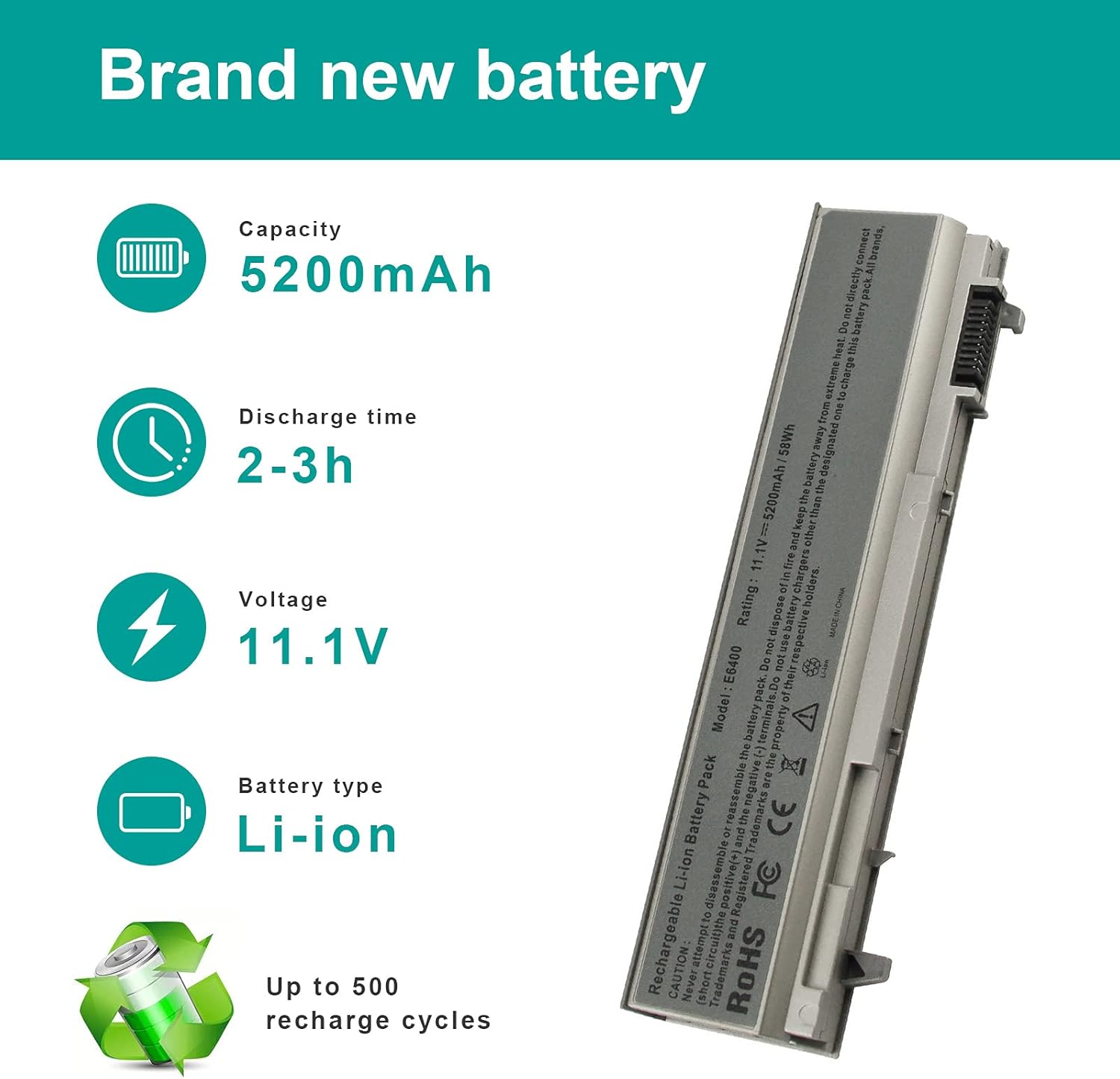


AC Doctor INC 5200mAh Battery for Dell Latitude E6400 E6410 E6500 E6510 Precision M2400 M4400 M4500 M6500 Laptop Battry Replacement 4M529 KY265 PT434 312-0749
See current price
Check the current price and availability on Amazon.com.
View on AmazonAffiliate link — we may earn a commission at no extra cost to you. Learn more
- Item Weight
- 8 ounces
- Item model number
- E6400
- Batteries
- 6 Lithium Ion batteries required.
- Manufacturer
- Dongguan LEWE Electronics co., LTD
Key features
- Replacement for laptop battery Dell Latitude E6400 E6410 E6500 E6510 Precision M2400 M4400 M4500 M6500 compatible with original battery part number PT434 PT435 PT436 PT437 KY477 KY265 KY266 KY268 FU268 FU274 FU571 MN632 MP303 MP307 NM631 NM633.
- Specification: 6 cells 11.1V 5200mAh silver 205.90x46.85x20.90mm 395.0g.
- Full compatible with your original battery, brand new direct from Professional Manufacturer.
- CE UL RoHS certified, safe use. 60 days no worry to return or exchange item, 12 months customer service warranty., US local dispatch.
- Please Note: Please make sure that the product shape of slot and gap are the same size. The battery part numbers listed in the description matches the battery part number on your original battery before you purchase.
Specifications
| Product Dimensions | 8.7 x 4.3 x 0.9 inches |
|---|---|
| Item Weight | 8 ounces |
| Item model number | E6400 |
| Batteries | 6 Lithium Ion batteries required. |
| Manufacturer | Dongguan LEWE Electronics co., LTD |
| Number of Batteries | 6 Lithium Ion batteries required. |
| Brand | AC Doctor INC |
| Battery Cell Composition | Lithium Ion |
| Recommended Uses For Product | Laptop |
| Voltage | 11.1 Volts |
| ASIN | B013W8V28U |
About this product
Fit laptop models: Dell Latitude E6400, Latitude E6400 ATG, Latitude E6400 XFR, Latitude E6410, Latitude E6410 ATG, Precision M2400, Precision M4400 Answered Question 1. How to use a new battery? Generally, new battery charges three or five times to active its electric performance. 2. How long is the battery life? In fact, replacement battery life, 12 cells battery standby time is about 4-5 hours, actual use time is 3-4 hours; 8 or 9 cells battery standby time is about 3-4 hours, actual use time is about 2-3 hours; 6 cells battery standby time is about 2-3 hours, actual use time is about 1-2 hours; 4 cells battery standby time is about 1-2 hours, actual use time is about 1hours. The peripheral interface uses more power, etc., use time is different, such as too hot environment, external usb, games, light, music use very power. The actual operation time will depend on how much electricity is required by the device and how you use it. 3. If battery is not charging or not recognize. please try the following way removed the new battery, and put the old one back in, then "Click start on the lower left corner of your-screen Under the "search" type in "device" Now it will bring up a few options, please select the "Device Manager" Double click on "batteries" to bring up two more sub categories. Right Click on "Microsoft ACPI Compliant control Method Battery" and click on "Uninstall" ***Important***Now, in the device manager, click "action" then select "scan for handware changes" After that, removed the old battery and put the new one back in, turn the computer on without the ac adaptor inserted (thereby starting on battery). then plug in the adaptor to see if it charges the battery or not.
Similar products


![AC Doctor INC High Capacity Battery for Dell Inspiron 1545 1526 1525 PP41L PP29L Series Laptop Battery, Fits P/N: GP952 GW252 GW240 X284G RN873 M911 M911G [7800mAh/11.1V/9-Cells] - 12 Months Warranty](https://m.media-amazon.com/images/I/41uI6rgFopL._AC_.jpg)
See current price