

Studio Recording Equipment
Compare studio recording equipment by workflow, room, connectivity, and monitoring needs. Explore the main types and specifications that help shape a practical recording setup.
883 products in catalog
883 results
Filters


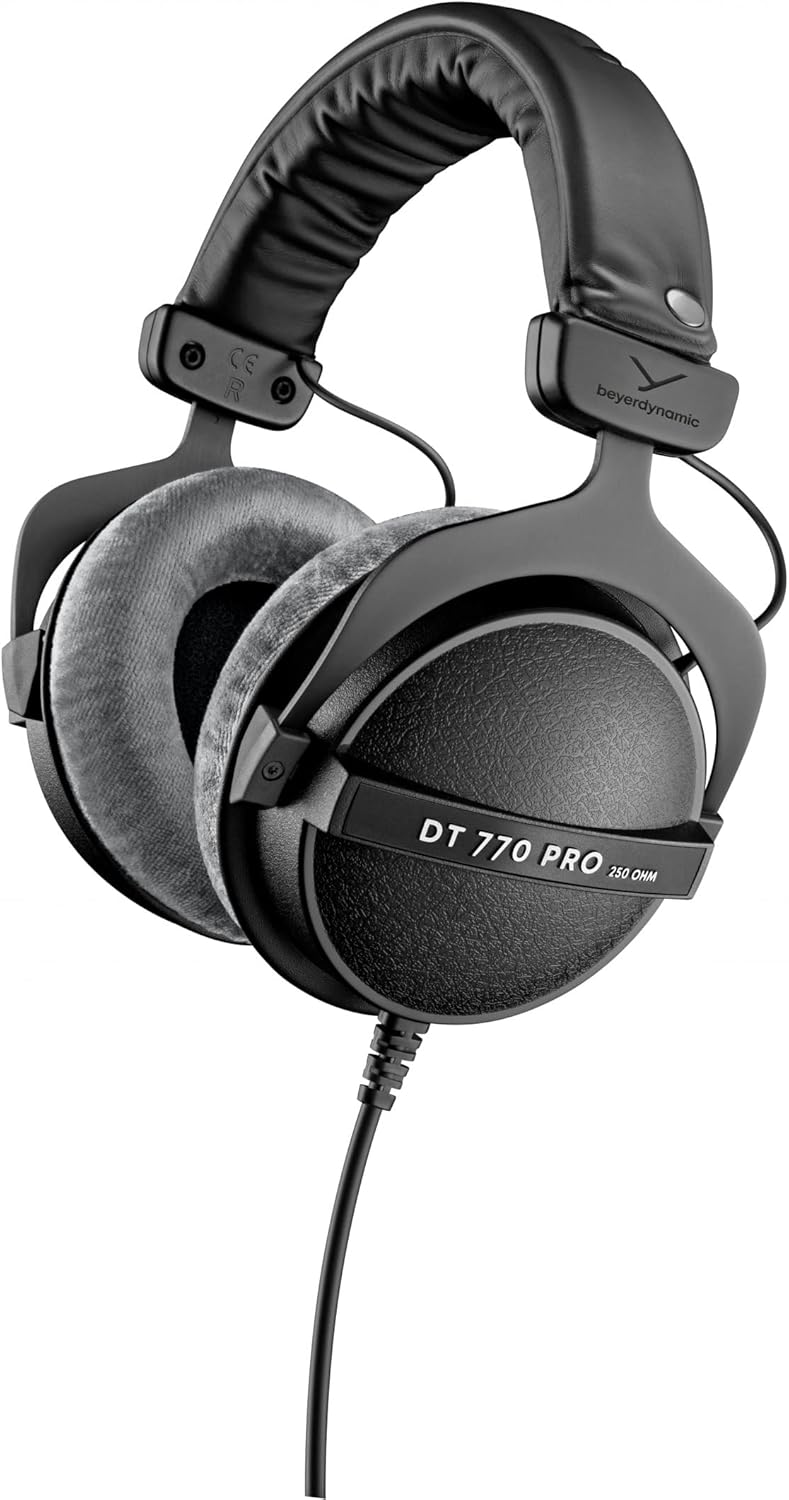

Beyerdynamic
beyerdynamic DT 990 Pro 250 ohm Over-Ear Studio Headphones For Mixing, Mastering, and Editing
See current price






![Novation Launchkey 49 [MK3] MIDI Keyboard Controller for Ableton Live](https://m.media-amazon.com/images/I/71vCWeTszNL._AC_SL1500_.jpg)


Popular brands in Studio Recording Equipment
A recording setup can range from a computer-based home studio to a self-contained multitrack rig. The right equipment depends on what you record, how many sources you handle at once, and whether you prioritize portability, hands-on control, or detailed monitoring.
K-Catalog brings together studio environment tools, computer recording equipment, monitors, headphones, mixers, signal processors, and recorders. Compare specifications and features across the category, then narrow your choices around your recording workflow.
How to choose studio recording equipment
Start with the complete signal path rather than selecting individual products in isolation. A typical setup may include microphones or instruments, an interface or mixer, recording software or a dedicated recorder, monitoring equipment, and accessories for controlling the room.
Consider these questions:
- What are you recording? Vocals, acoustic instruments, electronic sources, podcasts, and full-band sessions can have different input and monitoring requirements.
- How many sources are needed at once? Check the number and types of inputs, outputs, channels, and recording tracks.
- Where will you work? A permanent studio can accommodate acoustic treatment and larger monitors, while a mobile setup benefits from compact equipment and simple connections.
- How will you monitor? Headphones are useful for tracking and detailed editing; studio monitors can provide a more open listening experience when the room is suitable.
- What is your workflow? Computer recording suits software-based editing and production, while dedicated recorders offer a more focused, hardware-based approach.
Explore the main equipment types
The largest areas of this catalog are Studio Environment and Computer Recording. These categories cover the room and software-centered parts of a setup, making them useful starting points for planning a studio from the ground up.
Other categories address specific parts of the recording chain:
- Headphone & In-Ear Audio Monitors for tracking, editing, and private listening.
- Signal Processors for shaping or controlling audio within the signal path.
- Mixers & Accessories for routing, level control, and hands-on operation.
- Studio Monitors for speaker-based playback and mixing.
- Portable Recorders for field work, rehearsals, interviews, and mobile sessions.
- Multitrack Recorders for recording and managing several tracks in a dedicated device.
If microphones are still missing from the setup, browse Microphones & Accessories alongside the recording equipment categories.
Key specifications to compare
Connectivity affects whether equipment will integrate smoothly with the rest of the studio. Check USB or other computer connections, analog inputs and outputs, headphone connections, MIDI support where relevant, and compatibility with the devices already in use.
Input and output formats matter for both simple and expanded systems. Look at connector types, channel count, balanced or unbalanced connections, and whether the equipment supports the sources you plan to record.
Recording and playback capability is especially important for interfaces, mixers, and dedicated recorders. Compare track capacity, supported recording formats, storage options, and transfer methods when those specifications are provided.
Monitoring characteristics deserve attention when choosing headphones or studio monitors. Consider connection type, frequency response information, driver or speaker configuration, controls, and whether the design suits tracking, mixing, or general playback.
Physical design can determine how comfortable a setup is to use. Compare dimensions, weight, mounting or placement options, control layout, power requirements, and portability. For room equipment, also consider how the product will work with the space rather than focusing on specifications alone.
Brands represented in the catalog
The catalog includes equipment from Behringer, Zoom, M-Audio, Focusrite, Tascam, IK Multimedia, AKAI, PreSonus, ARTURIA, YWSHUF, Pyle, and Mackie. These brands appear across different parts of the category, so compare each product by its own specifications, connections, intended use, and included features rather than relying on the brand name alone.
Build a setup around compatibility
Before choosing an item, list the equipment it must connect to and the role it will play. A computer-based system should be checked for operating-system and software compatibility, available ports, driver or app requirements, and the number of simultaneous inputs needed. A dedicated recorder should be evaluated for storage, battery or power options, track handling, and file transfer.
Room treatment and placement can affect what you hear from studio monitors. Headphones may be more practical when the room is untreated, when recording requires quiet monitoring, or when several people need separate listening control. Cable length, adapters, stands, and protective storage can also influence how easy the finished setup is to use.
For broader music-making equipment, Instrument Accessories can complement a studio setup, while Keyboards & MIDI may be relevant for electronic production and controller-based workflows.
Frequently asked questions
What belongs in a basic studio recording setup?
A basic setup usually includes a sound source, a way to capture and record it, monitoring through headphones or speakers, and suitable cables or accessories. The exact combination depends on the source and recording method.
Are studio monitors or headphones better for mixing?
They serve different purposes. Studio monitors provide speaker-based listening in a suitable room, while headphones offer privacy, portability, and detailed listening without relying on room acoustics.
What should I check before buying a computer recording product?
Check computer and software compatibility, connection type, input and output requirements, supported recording formats, and whether the product fits the number of sources you plan to record.
When is a portable recorder useful?
Portable recorders suit field recordings, rehearsals, interviews, location work, and situations where carrying a computer-based setup is inconvenient. Compare portability, power options, storage, inputs, and file-transfer features.
Do I need a mixer in a home studio?
Not always. A mixer can be useful for hands-on routing and level control, but a computer recording setup may use an interface and software instead. Choose based on the workflow and number of sources involved.