




CaseCrown
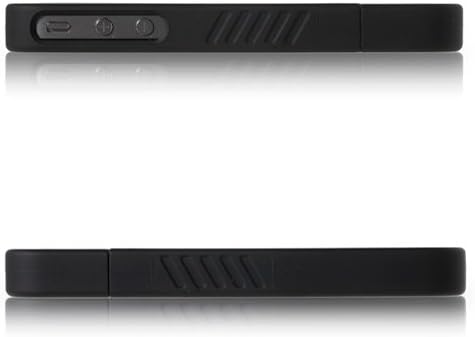
CaseCrown Slash Glider Case (Black) for Apple iPhone 4 4S
See current price
Check the current price and availability on Amazon.com.
View on AmazonAffiliate link — we may earn a commission at no extra cost to you. Learn more
- Item Weight
- 0.8 ounces
- Item model number
- CC-IP4-LUX2-BLK
- Other display features
- Wireless
- Color
- Black
Key features
- ★Plug & play connect HDMI to TV, and connect the USB to a power up to 5v(for iPhone)/10V or 12V (for iPad), then connect the Lightning to your iPhone/iPad, click the trust button and wait for 5 seconds.
- ★High-quality to 1080P adapter mirror what is displayed on your iPhone/iPad, including videos, apps, presentations, websites, slide-shows, Microsoft Office to your big screen up to 1080P HD.
- ★Compatible Lightning to HDMI adapter support iPhone x/8/8 Plus, iPhone7/7Plus, 6S/6Splus/6/6Plus, 5/5C/5S/SE, iPad mini/iPad Air/iPad Pro, iPod touch 5th/iPod touch 6th.
- ★Power needed it need Lightning cable and 5V/2a Apple original power adapter to support it.
- ★Note: USB charging cable should be plugged before use. Not support Netflix/ HBO Go/ XFINITY Player/ prime/ Hulu/ directly and other paid videos in app may not be supported.
Specifications
| Product Dimensions | 4.6 x 0.4 x 2.3 inches |
|---|---|
| Item Weight | 0.8 ounces |
| Item model number | CC-IP4-LUX2-BLK |
| Other display features | Wireless |
| Color | Black |
| Whats in the box | 1 hub |
| Manufacturer | Casecrown |
| ASIN | B004KU5YG6 |
About this product
Lightning digital AV adapter supports mirroring of what is displayed on your device screen - including apps, presentations, websites, slideshows and more - to your HDMI-equipped TV, display, projector or other compatible display in up to 1080P HD. The Lightning to him adapter also outputs video content - films, TV programmed, captured video - to your big screen in up to 1080P HD. watch on big screen: ■ display YouTube and net search on TV screen. Watch movies and images shot with friends and family on the big screen. ■ play a game on a TV screen. Use in presentation with projector. user guide: 1. Connect the Lightning to HDMI adapter with your device screen via a HDMI cable. 2. Connect the Lightning to HDMI adapter with the power source via a Lightning to USB cable. 3. Plug the Lightning of the HDMI adapter into your iPhone, iPad, iPod. ★please follow the user guide by steps. must be connected to power source to function (strongly recommended 5V/2A). iphone x iphone 7/ 7plus iphone 6/ 6S/ 6 plus iphone 5 /5S/ 5C/ se iPod touch 5th iPod Nano 7th iPad pro iPad mini iPad air
Similar products

CaseCrown
CaseCrown Lux Glider Case for Apple iPhone 4 / 4S- 1 Pack - Retail Packaging - (Purple Amethyst)
See current price

See current price