
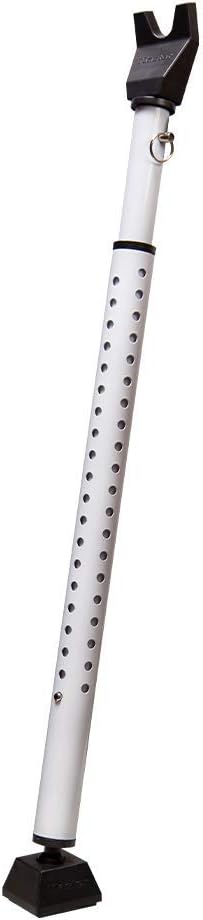

GT-100A Automatic Garage Door Closer
See current price
Check the current price and availability on Amazon.com.
View on AmazonAffiliate link — we may earn a commission at no extra cost to you. Learn more
- Part Number
- GT-100A
- Item Weight
- 2.4 ounces
- Product Dimensions
- 4.5 x 17.2 x 17.5 inches
- Item model number
- GT-100A
Key features
- Audio warning when door is about to close
- Replaces your traditional wall button with Control Panel
- Select the door closing time from the built-in timer, from 2 minutes to 20 minutes.
- Power source type: corded electric
- NOT compatible with Chamberlain/Liftmaster openers with MyQ Security+ 2.0
Specifications
| Manufacturer | Skylink |
|---|---|
| Part Number | GT-100A |
| Item Weight | 2.4 ounces |
| Product Dimensions | 4.5 x 17.2 x 17.5 inches |
| Item model number | GT-100A |
| Batteries | 1 Nonstandard Battery batteries required. (included) |
| Size | Large |
| Color | Gray |
| Power Source | corded electric |
| Installation Method | Screw In |
| Item Package Quantity | 1 |
| Included Components | Battery |
| Batteries Included? | Yes |
| Batteries Required? | Yes |
| Battery Cell Type | Lithium Ion |
| Warranty Description | 1 Year Warranty (Repair or Replace) |
| ASIN | B000JJJRCE |
About this product
Product Description Closes the door for you automatically when you forget. In addition, please help us add the below troubleshooting steps. TO ERASE ALL REMOTE CONTROL/SENSOR 1. Press and hold the learn button for 15 seconds. 2. The "Timer/Learn" red LED will flash rapidly meaning all remote have been erased. TO PROGRAM THE REMOTE CONTROL/SENSOR (First you’ll need to open your garage door up to a height where the plunger is fully extended and you can activate it manually). 1. Press the learn button for approx. 5 seconds. 2. The 'Timer/Learn" red LED will be on, release the learn button. 3. Activate the sensor you would like to operate. (push the plunger all the way in then let it fall) 4. The 'Timer/Learn" red LED will be off after it has successfully programmed the sensor. 5. Now you can activate the programmed sensor to operate the GC-433R. From the Manufacturer Closes the door for you automatically when you forget. NOTE: In addition, please help us add the below troubleshooting steps. TO ERASE ALL REMOTE CONTROL/SENSOR 1. Press and hold the learn button for 15 seconds. 2. The "Timer/Learn" red LED will flash rapidly meaning all remote have been erased. TO PROGRAM THE REMOTE CONTROL/SENSOR (First you’ll need to open your garage door up to a height where the plunger is fully extended and you can activate it manually). 1. Press the learn button for approx. 5 seconds. 2. The 'Timer/Learn" red LED will be on, release the learn button. 3. Activate the sensor you would like to operate. (push the plunger all the way in then let it fall) 4. The 'Timer/Learn" red LED will be off after it has successfully programmed the sensor. 5. Now you can activate the programmed sensor to operate the GC-433R.
Similar products

Copper Creek
Copper Creek CK2020BC Colonial Door Knob, Passage Function, 1 Pack, in Black
See current price

Copper Creek
Copper Creek BK2030TB Ball Door Knob, Privacy Function, 1 Pack, Tuscan Bronze
See current price

See current price