

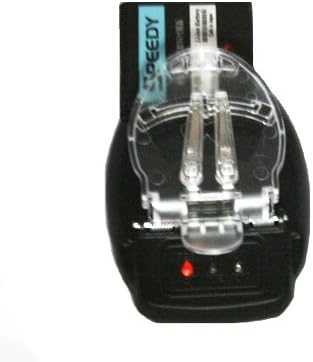


HDE Universal Mobile Cell Phone Battery Charger
See current price
Check the current price and availability on Amazon.com.
View on AmazonAffiliate link — we may earn a commission at no extra cost to you. Learn more
- Item Weight
- 0.32 ounces
- Item model number
- P02
- Manufacturer
- CellularFactory
Key features
Specifications
| Package Dimensions | 5 x 4.7 x 1.5 inches |
|---|---|
| Item Weight | 0.32 ounces |
| Item model number | P02 |
| Manufacturer | CellularFactory |
| ASIN | B001AHU6QU |
About this product
1. Press the clip and place your battery in the charger with bronze contacts facing up without plugging into power outlet yet. 2. Align metal contact pins to the metal contacts on battery. If the battery has two contacts, just match each pin to a contact. If the battery has three pins, connect the pins with the two outside contacts. Some batteries has four contacts, then it become a little tricky - connect the pins to the first and third metal contacts from the left. 3. If the two pins are properly connected to the right contacts, the small indicator light will glow in red, it is not bright but noticeable. Sometimes, you will have to do some trial and error to find out the right contacts for the two pins until the red indicator is on. 4. Now plug power in, and you should see red and blue lights alternatively flashing, means charging. 5. It takes about three to five hours to fully charge a battery.
Similar products


See current price