


Monster CITMBK-8 Medium Diameter Black Cable-It Wire Management System (8 feet)
See current price
Check the current price and availability on Amazon.com.
View on AmazonAffiliate link — we may earn a commission at no extra cost to you. Learn more
- Item Weight
- 1.02 pounds
- Manufacturer
- Monster
- Item model number
- CIT MBK-8
- Brand
- Monster
Key features
- Neatly and Effectively Clean Up Cable Clutter
- Compact cable “wrap” for home theater, home office, home studio and or any room in the home
- Easy to install and can be cut to custom lengths
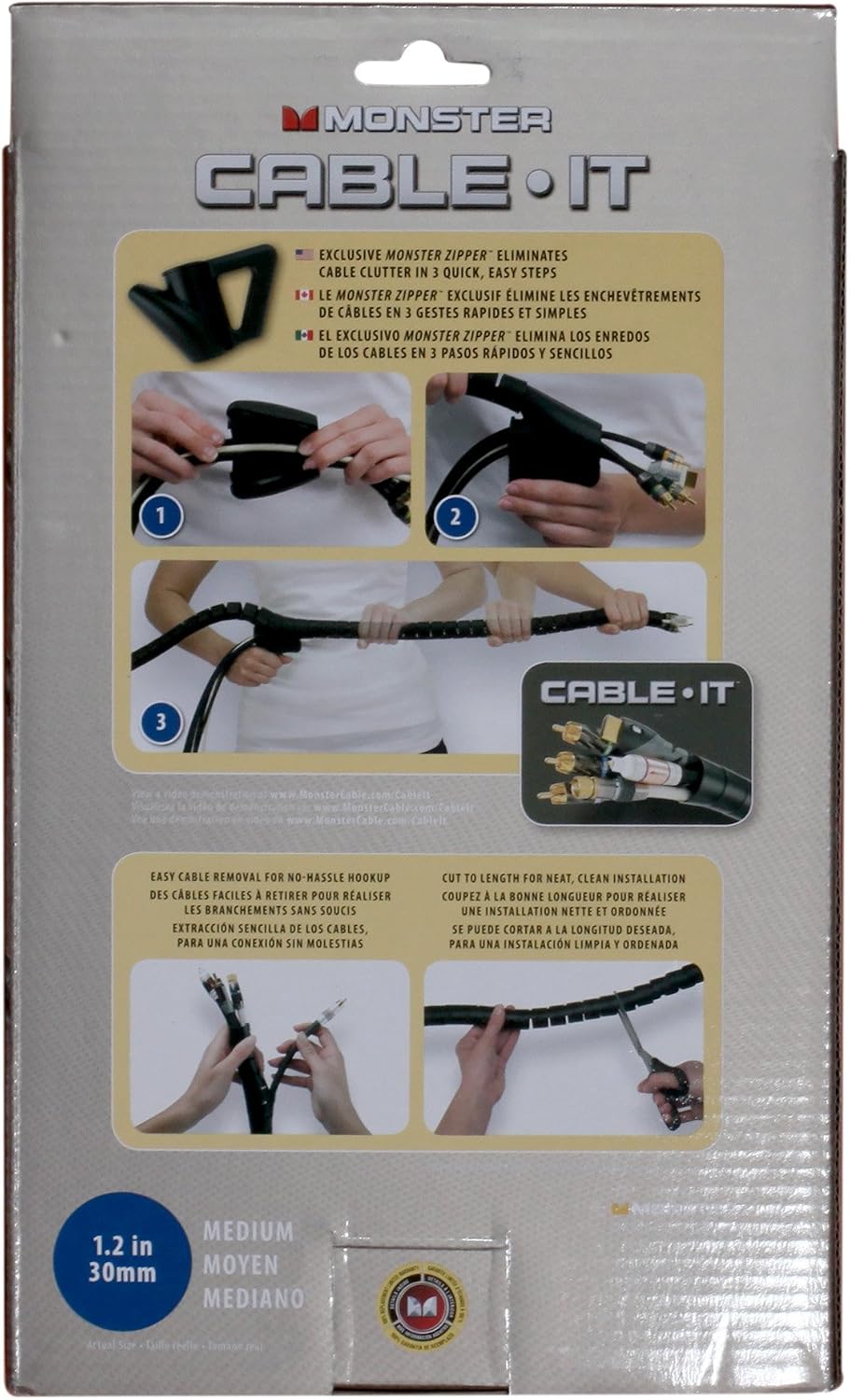
- Zip up all your cables in 3 easy steps
- Available in 3 sizes for both large and small projects
Specifications
| Product Dimensions | 5.63 x 7.13 x 11.88 inches |
|---|---|
| Item Weight | 1.02 pounds |
| Manufacturer | Monster |
| Item model number | CIT MBK-8 |
| Brand | Monster |
| Color | Black |
| Style | Medium |
| Item Dimensions LxWxH | 5.63 x 7.13 x 11.88 inches |
| Installation Type | Self-Adhesive |
| ASIN | B002MZZSGC |
About this product
Product Description Monster Cable•it Cable Management Kit - 8 ft. Medium Black Cable•it From the Manufacturer Cables have a tendency to look cluttered, and the more complicated your setup – in home theaters, home offices, project studios, and more – the messier they seem. Monster® Cable•It provides an amazingly simple way to tidy up any cable mess, whether your setting up a new HDTV or setting up on stage for a gig. Available in three sizes for both small jobs and big projects, with as many as 12 cables and cords, Cable•It can make all your spaces cleaner and more organized. Easy to Use Prep: Gather up your cables. Be careful not to insert too many cables. (Note: For the best AV performance, use a separate Cable•It for power cords and AV cables.) Step 1: Snap open the Monster Zipper and insert your cables, as shown. Close the Zipper around the cables. Step 2: Slide the Cable•It sleeve onto the Zipper’s pointed tip with the sleeve openings pointing downward. Grip the sleeve around the cables. Step 3: Holding the Zipper handgrip, pull the Zipper backward or the sleeve forward away from the Zipper. Unsnap the Zipper from the end of the sleeve. You’re done! It’s that easy.
Similar products


PASOW
PASOW 50pcs Cable Ties Reusable Fastening Wire Organizer Cord Rope Holder 7 Inch (Black)
See current price
See current price