
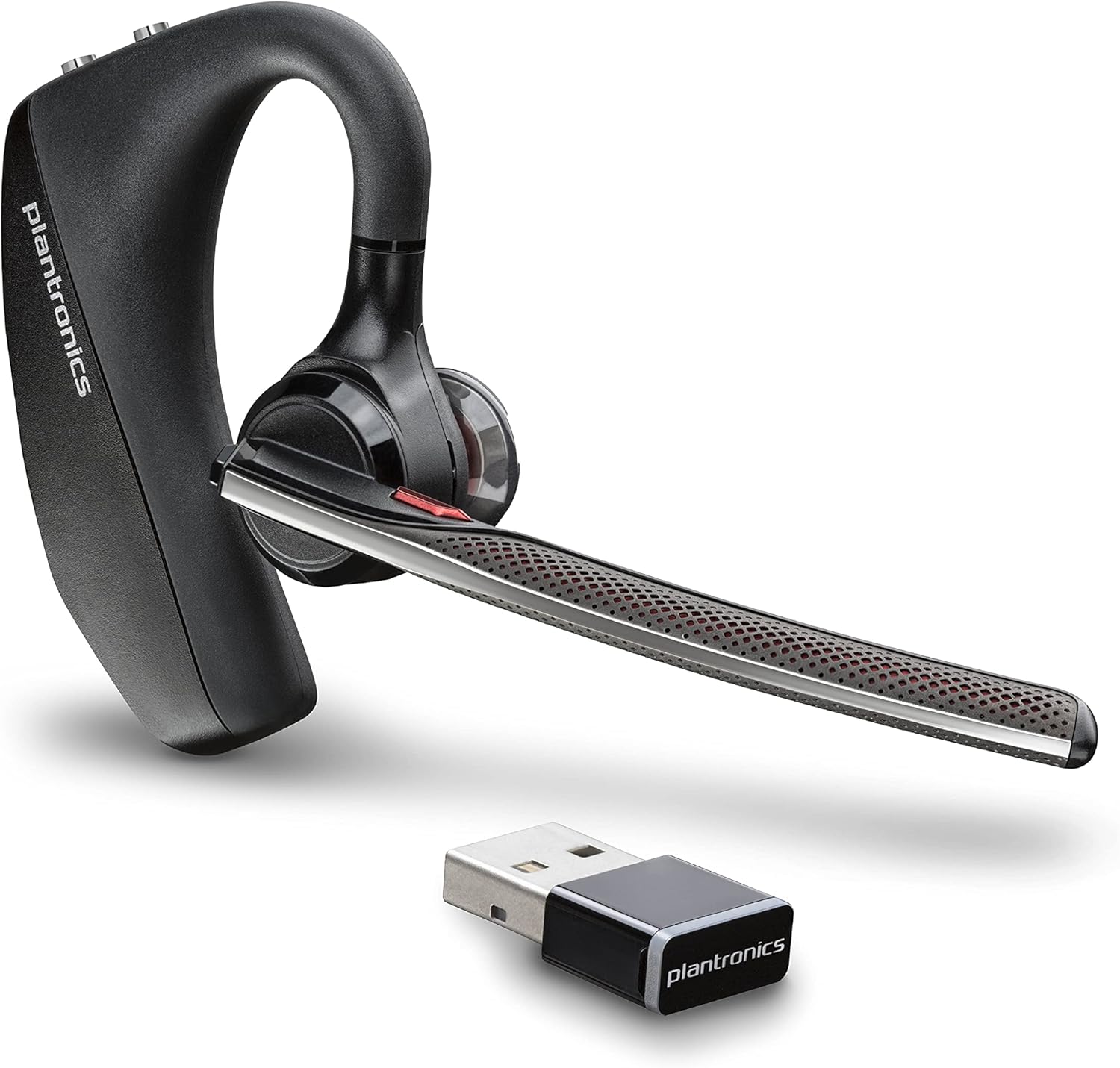
![Plantronics Explorer 220 Bluetooth Headset [Bulk Packaging]](https://m.media-amazon.com/images/I/41lBFwZWSYL._AC_.jpg)
Plantronics· All Plantronics Headphones, Earbuds & Accessories →
Plantronics Explorer 220 Bluetooth Headset [Bulk Packaging]
See current price
Check the current price and availability on Amazon.com.
View on AmazonAffiliate link — we may earn a commission at no extra cost to you. Learn more
- Item model number
- explorer 220
- Wireless communication technologies
- Bluetooth
- Connectivity technologies
- Wireless
- Special features
- Microphone
Key features
- Outstanding entry-level Bluetooth headset with easy-to-use volume, call answer and call end controls
- Fits comfortably and securely on either ear
- Unique speaker design optimizes sound quality
- QuickPair technology for easy connection to any Bluetooth-enabled device
- Up to 6 hours of talk time; up to 200 hours of standby time
Specifications
| Package Dimensions | 4.2 x 3.9 x 1.2 inches |
|---|---|
| Item model number | explorer 220 |
| Wireless communication technologies | Bluetooth |
| Connectivity technologies | Wireless |
| Special features | Microphone |
| Other display features | Wireless |
| Form Factor | one_ear |
| Color | Silver |
| Manufacturer | Plantronics |
| Number Of Items | 1 |
| Brand | Plantronics |
| Connectivity Technology | Wireless |
| Wireless Communication Technology | Bluetooth |
| ASIN | B000YMPXE2 |
About this product
Product Description bluetooth Amazon.com Light on the ear (as well as on the wallet), the Plantronics Explorer 220 Bluetooth headset provides easy connectivity and effortless call control for a true handsfree experience. Designed specifically for first-time buyers, the Explorer 220 delivers up to 6 hours of battery life and incorporates all call features--volume, call answer/end, last-number redial, and voice-activated dialing--into two separate buttons for ease of use. It also includes a handy LED to indicate incoming calls, missed calls and low battery. With a range of 10 meters (30 feet) and an omni-directional microphone, the Explorer 220 gives you great sound at a great price. The Plantronics QuickPair technology ensures it is easy to connect to any Bluetooth-enabled device. It fits comfortably and securely on either ear, andthe unique speaker design optimizes sound quality. Weighing less than an ounce, it's comfortable for all-day wear. Key Features Talk time: Up to 6 hours Talk time: Up to 6 hours Standby time: Up to 200 hours Standby time: Up to 200 hours Weight: 0.5 ounces (15 grams) Weight: 0.5 ounces (15 grams) Headset controls: One-touch volume, call answer/end, last number redial, voice-activated dialing Headset controls: One-touch volume, call answer/end, last number redial, voice-activated dialing Bluetooth technology: Version 2.0 Bluetooth technology: Version 2.0 Bluetooth profile compatibility: Connects with all devices supporting headset and hands-free profiles QuickPair Pairing Instructions Headsets with QuickPair are automatically in pairing mode when powered on until paired with the first device. Step 1: Start with headset powered OFF. Hold down headset Call Control button for four seconds--release when Indicator Light flashes red and blue. Headset is now discoverable. Headset will remain discoverable until it is paired with its first device. Step 2: Use your devices menu to enter its pairing mode and select 220Plantronics on the display. 0000 is the pairing passkey. Subsequent Pairings: To manually place headset in Pairing Mode, begin with the headset turned off, then press the call control button for 8-10 seconds until the headset indicator light flashes red and blue. The headset is now in pairing mode for the next 60 seconds. To pair with a phone, repeat Step 2. Reconnection for Previously Paired Devices: If the Bluetooth phone and your Plantronics Bluetooth headset have been out of range for an extended amount of time or if the headset and/or phone were turned off and do not automatically reconnect, simply do a short press of the call control button and the devices will reconnect. What's in the Box Headset, AC charger, printed operating instructions Bluetooth profile compatibility: Connects with all devices supporting headset and hands-free profiles QuickPair Pairing Instructions Headsets with QuickPair are automatically in pairing mode when powered on until paired with the first device. Step 1: Start with headset powered OFF. Hold down headset Call Control button for four seconds--release when Indicator Light flashes red and blue. Headset is now discoverable. Headset will remain discoverable until it is paired with its first device. Step 2: Use your devices menu to enter its pairing mode and select 220Plantronics on the display. 0000 is the pairing passkey. Subsequent Pairings: To manually place headset in Pairing Mode, begin with the headset turned off, then press the call control button for 8-10 seconds until the headset indicator light flashes red and blue. The headset is now in pairing mode for the next 60 seconds. To pair with a phone, repeat Step 2. Reconnection for Previously Paired Devices: If the Bluetooth phone and your Plantronics Bluetooth headset have been out of range for an extended amount of time or if the headset and/or phone were turned off and do not automatically reconnect, simply do a short press of the call control button and the devices will reconnect. What's in the Box Headset, AC charger, printed operating instructions Step 1: Start with headset powered OFF. Hold down headset Call Control button for four seconds--release when Indicator Light flashes red and blue. Headset is now discoverable. Headset will remain discoverable until it is paired with its first device. Step 2: Use your devices menu to enter its pairing mode and select 220Plantronics on the display. 0000 is the pairing passkey. Subsequent Pairings: To manually place headset in Pairing Mode, begin with the headset turned off, then press the call control button for 8-10 seconds until the headset indicator light flashes red and blue. The headset is now in pairing mode for the next 60 seconds. To pair with a phone, repeat Step 2. Reconnection for Previously Paired Devices: If the Bluetooth phone and your Plantronics Bluetooth headset have been out of range for an extended amount of time or if the headset and/or phone were turned off and do not automatically reconnect, simply do a short press of the call control button and the devices will reconnect. What's in the Box Headset, AC charger, printed operating instructions Step 2: Use your devices menu to enter its pairing mode and select 220Plantronics on the display. 0000 is the pairing passkey. Subsequent Pairings: To manually place headset in Pairing Mode, begin with the headset turned off, then press the call control button for 8-10 seconds until the headset indicator light flashes red and blue. The headset is now in pairing mode for the next 60 seconds. To pair with a phone, repeat Step 2. Reconnection for Previously Paired Devices: If the Bluetooth phone and your Plantronics Bluetooth headset have been out of range for an extended amount of time or if the headset and/or phone were turned off and do not automatically reconnect, simply do a short press of the call control button and the devices will reconnect. What's in the Box Headset, AC charger, printed operating instructions Subsequent Pairings: To manually place headset in Pairing Mode, begin with the headset turned off, then press the call control button for 8-10 seconds until the headset indicator light flashes red and blue. The headset is now in pairing mode for the next 60 seconds. To pair with a phone, repeat Step 2. Reconnection for Previously Paired Devices: If the Bluetooth phone and your Plantronics Bluetooth headset have been out of range for an extended amount of time or if the headset and/or phone were turned off and do not automatically reconnect, simply do a short press of the call control button and the devices will reconnect. What's in the Box Headset, AC charger, printed operating instructions Reconnection for Previously Paired Devices: If the Bluetooth phone and your Plantronics Bluetooth headset have been out of range for an extended amount of time or if the headset and/or phone were turned off and do not automatically reconnect, simply do a short press of the call control button and the devices will reconnect. What's in the Box Headset, AC charger, printed operating instructions
Similar products
Compare all Plantronics Headphones, Earbuds & Accessories →
Plantronics
Plantronics Voyager Legend Wireless Bluetooth Handsfree Mono Headset - BTVLEGEND
See current price

Plantronics
Plantronics BackBeat FIT 3200 Bluetooth Earbuds, True Wireless Sport, Black
See current price
See current price