

Electronic Keyboards
Compare electronic keyboards by key feel, sound options, controls, connectivity, and included accessories. This guide helps match features to practice, performance, songwriting, or casual playing.
355 products in catalog
355 results
Filters



Casio
Casio CTK-3500 61-Key Touch Sensitive Portable Keyboard with Power Supply,Black
See current price






Willard A. Palmer (Author), Morton Manus (Author), Amanda Vick Lethco (Author)
Alfred's Basic Piano Library Lesson Book, Bk 1B (Alfred's Basic Piano Library, Bk 1B)
See current price
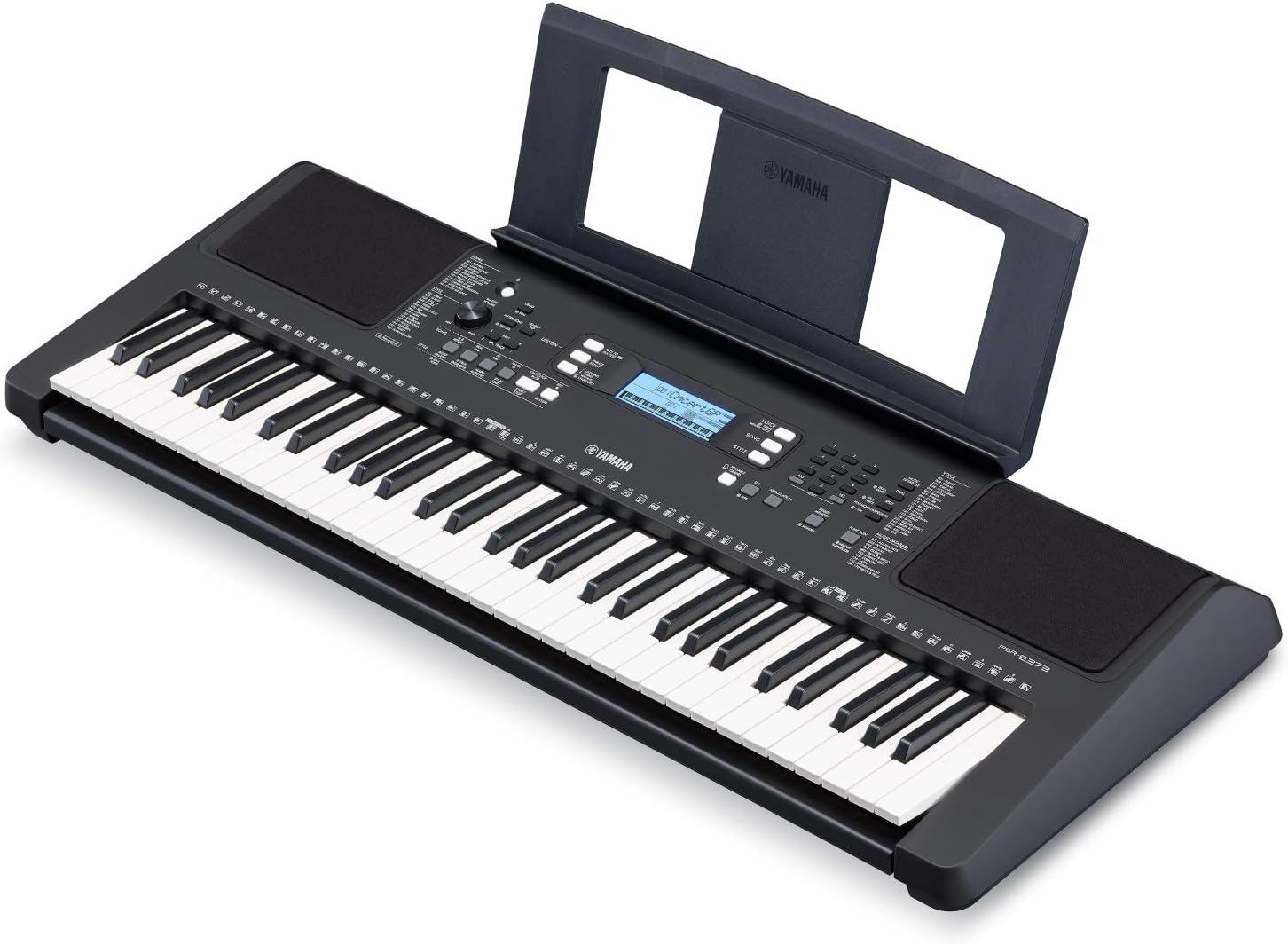
Yamaha
Yamaha PSRE373 61-Key Touch Sensitive Portable Keyboard (Power Adapter Sold Separately)
See current price

Popular brands in Electronic Keyboards
Electronic keyboards offer a flexible way to practice, learn, arrange music, or perform without the size and maintenance demands of many acoustic instruments. Models can differ substantially in key count, action, sound selection, accompaniment functions, and connection options, so the right choice depends on how and where the keyboard will be used.
This category sits within Keyboards & MIDI, making it useful to compare alongside other electronic music equipment when building a home, studio, or performance setup.
How to choose an electronic keyboard
Start with the player’s goals and available space. A compact keyboard may suit a beginner, portable setup, or occasional playing, while a larger instrument can provide a more familiar layout and room for two-handed playing. Consider whether the keyboard will stay in one place or be carried between lessons, rehearsals, and performances.
Key questions include:
- Who will play it? Beginners may value straightforward controls and built-in learning features, while experienced players may prioritize control, expressiveness, and sound customization.
- Where will it be used? Check the footprint, power requirements, speaker arrangement, and whether a stand or bench is included or needs to be purchased separately.
- What music will be played? Piano-focused practice calls for a suitable key feel and convincing piano sounds, while arranging and pop-oriented playing may benefit from rhythms, accompaniment, and a wide selection of voices.
- How will it grow with the player? A keyboard with useful connectivity and flexible controls may remain practical as skills and equipment develop.
Key features and specifications to compare
Keys and action have a direct effect on playing feel. Compare the number of keys, whether the keys are touch-sensitive, and whether the action is lightweight, semi-weighted, or weighted. Touch sensitivity allows playing dynamics to respond to how firmly a key is pressed. Weighted action can feel more piano-like, but it may add weight and cost and is not essential for every style.
Sounds and effects vary from basic voice selection to broader sound libraries and adjustable effects. Look for the types of sounds that matter most, such as acoustic and electric pianos, organs, strings, bass, synthesizer tones, or percussion. Built-in effects can help shape the sound for practice or performance.
Rhythms and accompaniment may be useful for solo practice, songwriting, and informal performance. Features such as drum patterns, automatic accompaniment, recording functions, and lesson modes can make practice more interactive. Compare how easily these functions can be accessed from the control panel.
Connections and controls determine how well the keyboard fits into a wider setup. Depending on the model, shoppers may want headphone connectivity for quiet practice, audio outputs for amplification, USB or MIDI connections for computers and music software, and inputs for accessories such as a sustain pedal. Confirm the connection types before choosing cables or other equipment.
Portability, sound, and setup
Built-in speakers are convenient for home use, but speaker output and placement can affect how suitable a keyboard is for a room or small performance. Headphone support is especially useful when practicing around other people. If the keyboard will be amplified, check its available audio outputs and whether the intended sound system accepts them.
Portability involves more than overall size. Consider the instrument’s weight, handle or carrying options, power adapter, and how easily it can be placed on a stand. A compact model may be easier to transport, while a larger keyboard may provide a more comfortable playing layout and more controls.
Brands in the catalog
The catalog includes electronic keyboards from Yamaha, Casio, Korg, Donner, Alesis, Hamzer, LAGRIMA, SOUIDMY, XGATML, Aeiniweraabbcc, TOMENGBEIAABBCC, and McyiqihaiAADDCC. These brands cover a range of keyboard styles and feature sets. Compare each product’s specifications rather than choosing by brand name alone, particularly for key action, included accessories, connectivity, and intended use.
For shoppers exploring instruments with regional or traditional musical applications, Folk & World is a related category to browse.
Practical buying tips
Check the full product description for included items such as a power adapter, music rest, sustain pedal, stand, headphones, or carrying case. Accessories can affect how quickly the keyboard is ready to use and whether additional purchases are needed.
For learning, look for controls that are easy to understand and features that support consistent practice. For performance, prioritize dependable connections, accessible sound changes, a comfortable playing response, and controls that can be operated without interrupting the performance. For computer-based music production, verify compatibility with the intended computer, software, and MIDI workflow.
Frequently asked questions
Are electronic keyboards suitable for beginners?
Yes. Many provide accessible controls, built-in speakers, lesson-oriented functions, and a selection of sounds that make it easier to begin practicing. The most suitable model depends on the learner’s space, goals, and preferred key feel.
What is the difference between touch-sensitive and weighted keys?
Touch-sensitive keys respond to playing force, allowing changes in volume or expression. Weighted keys add resistance intended to resemble an acoustic piano. These features address different preferences and are not interchangeable.
Do electronic keyboards need an amplifier?
Not always. Models with built-in speakers can be used independently for home practice. An amplifier or powered speaker may be useful for louder playing, performances, or situations where the built-in speakers are not sufficient.
Can an electronic keyboard connect to a computer?
Some can connect through USB, MIDI, or other audio connections. Check the individual product specifications and confirm that the connection matches the computer and music software being used.
What accessories should be considered?
A sustain pedal, stand, bench, headphones, carrying case, and suitable cables may be useful. Confirm which accessories are included before selecting additional equipment.