
SanDisk
SanDisk 128GB microSDXC-Card, Licensed for Nintendo-Switch - SDSQXAO-128G-GNCZN
See current price

Compare Nintendo Switch accessories by what they do, how they connect, and which console setup they support. Explore practical options for protection, play, charging, storage, and travel.
1,994 products in catalog
1,994 results
SanDisk
See current price


![Orzly Glass Screen Protectors Compatible with Nintendo Switch - Premium Tempered Glass Screen Protector Twin Pack [2X Screen Guards - 0.24mm] for 6.2 Inch Tablet Screen on Nintendo Switch Console](https://m.media-amazon.com/images/I/71YDg2Rg9cL._AC_SL1500_.jpg)


![Fintie Carrying Case for Nintendo Switch OLED Model 2021/Switch 2017, [Shockproof] Hard Shell Protective Cover Travel Bag w/10 Game Card Slots for Switch Console Joy-Con & Accessories, Black](https://m.media-amazon.com/images/I/71rcMdZe77L._SL1500_.jpg)
![ivoler [4 Pack Tempered Glass Screen Protector Designed for Nintendo Switch OLED Model 2021 with [Alignment Frame] Transparent HD Clear[Updated Version] Screen Protector for Nintendo Switch OLED 7''](https://m.media-amazon.com/images/I/71Q6y6rDsLL._AC_SL1500_.jpg)


Robert De Niro (Actor, Director), Chazz Palminteri (Actor), Lillo Brancato (Actor)
See current price

![Orzly Case for Nintendo Switch Lite - Portable Travel Carry Case with storage for Switch Lite Games & Accessories [Yellow]](https://m.media-amazon.com/images/I/814O6W-31mL._AC_SL1500_.jpg)
![USB Type C Cable, Syncwire [2 Pack, 3.3Ft] USB 3.0 Fast Charging & Sync Nylon Braided USB A to USB-C Charger Cord for Samsung Galaxy S10/S9/S8 Plus/Note 9/8, Nintendo Switch, LG V30, V20, G6, G5](https://m.media-amazon.com/images/I/71bnnRgF0tL._AC_SL1500_.jpg)



Nintendo Switch accessories can make a console easier to carry, more comfortable to use, or better suited to different play styles. The right choice depends on whether you need protection for travel, an additional controller, charging equipment, a more convenient setup, or replacement parts.
This catalog covers accessories for the Nintendo Switch family. Compare the specifications and compatibility details for each product before clicking through to Amazon for the latest availability and purchase options.
Start with the problem the accessory should solve. A travel case and screen protector focus on protection, while a controller or grip can change how games feel during longer sessions. A stand, dock-related accessory, or charging solution may be more useful for a stationary setup.
Check the exact console version before buying. Accessories may be designed for the original Nintendo Switch, Nintendo Switch Lite, Nintendo Switch OLED Model, or more than one version. Physical fit, dock compatibility, port placement, and included cables can vary, so read the product specifications carefully.
It is also worth considering how the accessory will be used:
Because there are no separate subcategory pages in this catalog, browsing by intended use is a practical way to narrow the selection.
Cases, covers, screen protectors, and storage organizers help keep the console and game cards together. Compare the internal layout, padding, closure style, handle or strap, and room for accessories. A slim case may suit everyday carrying, while a larger organizer may be preferable when bringing controllers, cables, or multiple games.
For screen protection, compare the stated material, installation method, coverage, and compatibility with the console model. A case should also leave the necessary buttons, vents, ports, and cameras accessible where applicable.
Extra controllers are useful for multiplayer, while grips and ergonomic add-ons can suit handheld or tabletop play. Compare the control layout, connection method, power source, included accessories, and compatibility with the games and console configuration you use.
For grips and handheld attachments, pay attention to button access, joystick clearance, portability, and whether the console can be placed in its dock without removing the accessory. Some designs are intended for a specific Switch model, so fit is especially important.
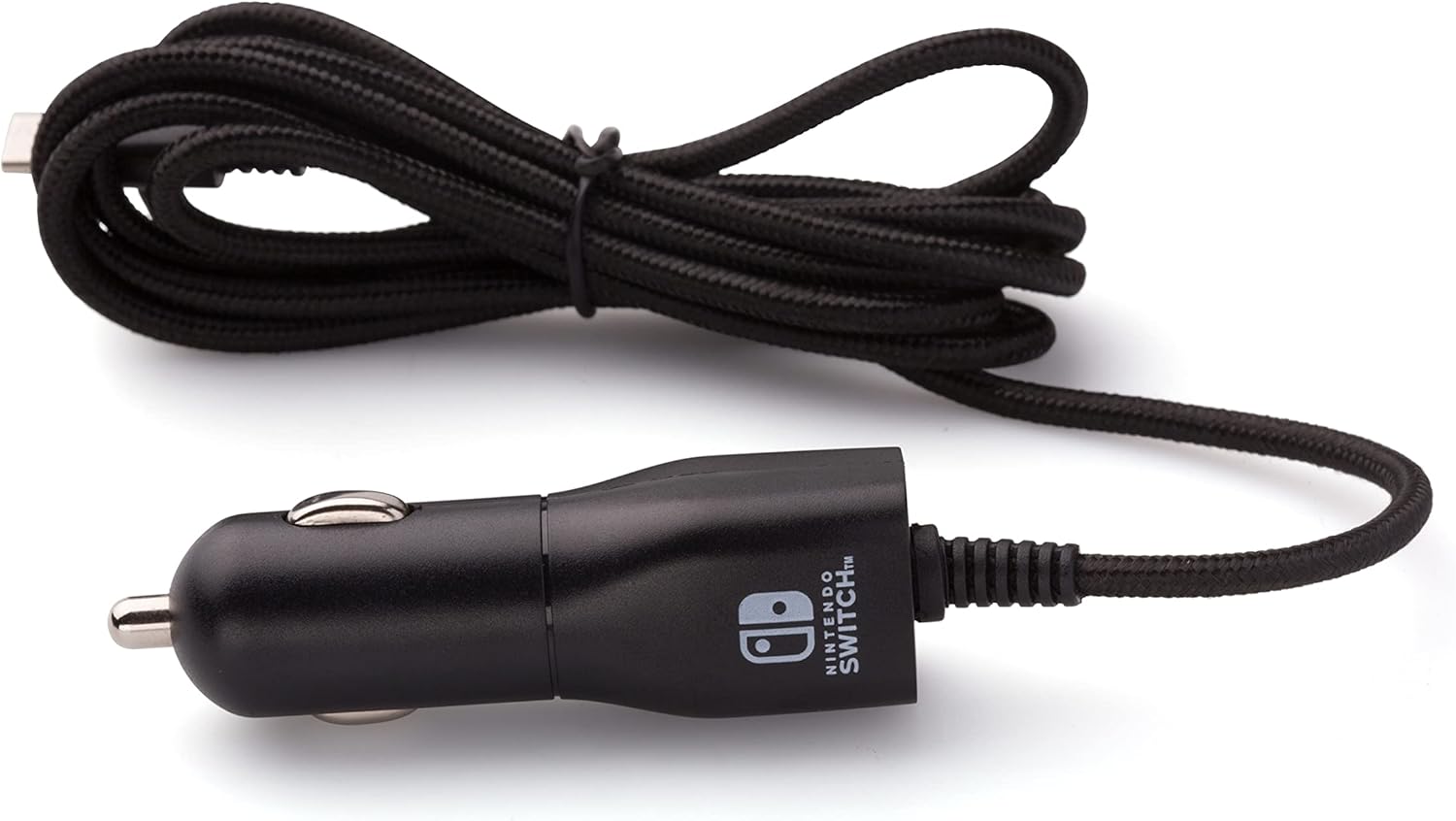
Charging docks, cables, adapters, and battery-related accessories differ in connector type, length, portability, and intended use. Confirm that the product is appropriate for the console or accessory it will power. If a product includes a cable or power adapter, check exactly what is included rather than assuming every component is supplied.
For accessories that connect wirelessly or through a console port, compare pairing requirements and supported connection types. Cable routing and adapter size can matter when space around a television, dock, or travel outlet is limited.
Stands can make tabletop play more convenient and may help organize the console when it is not in use. Compare viewing-angle adjustment, folding design, stability, and whether charging is possible while the console is supported. Storage accessories can help keep game cards, controllers, and cables organized, but capacity and compartment dimensions should match your setup.
Product descriptions can look similar, so focus on the details most relevant to your use case:
The catalog includes Nintendo alongside brands such as GeekShare, Hori, Extremerate, HEYSTOP, PDP, PowerA, Fyoung, Controller Gear, MASCARRY, BRHE, and HEATFUN. These brands appear across different accessory types, so compare the specifications of individual products rather than choosing by brand name alone. Compatibility, dimensions, included components, and intended use remain the most useful points of comparison.
If you are also selecting software or hardware, browse related Nintendo Switch Games and Consoles categories to compare those parts of a setup separately.
Start with the accessory that addresses your main need, such as a case for travel, a screen protector for added protection, or an extra controller for multiplayer. Check compatibility before adding anything else.
No. Fit and functionality can differ between the original Switch, Switch Lite, and Switch OLED Model. Always check the supported model and physical dimensions in the product specifications.
Compare the fit, padding, closure, storage layout, portability, and room for the accessories you plan to carry. Make sure the case is designed for your console version.
Neither is universally better. Wired controllers can suit a fixed setup, while wireless models may offer more freedom of movement. Compare connection requirements, power needs, controls, and compatibility.
Some stands are designed to allow charging, but this is not guaranteed. Check the product description for charging access, cable clearance, and compatibility with your console model.
Review the included-items list carefully. Check whether required cables, adapters, mounting pieces, storage inserts, or other components are included before choosing a product.