


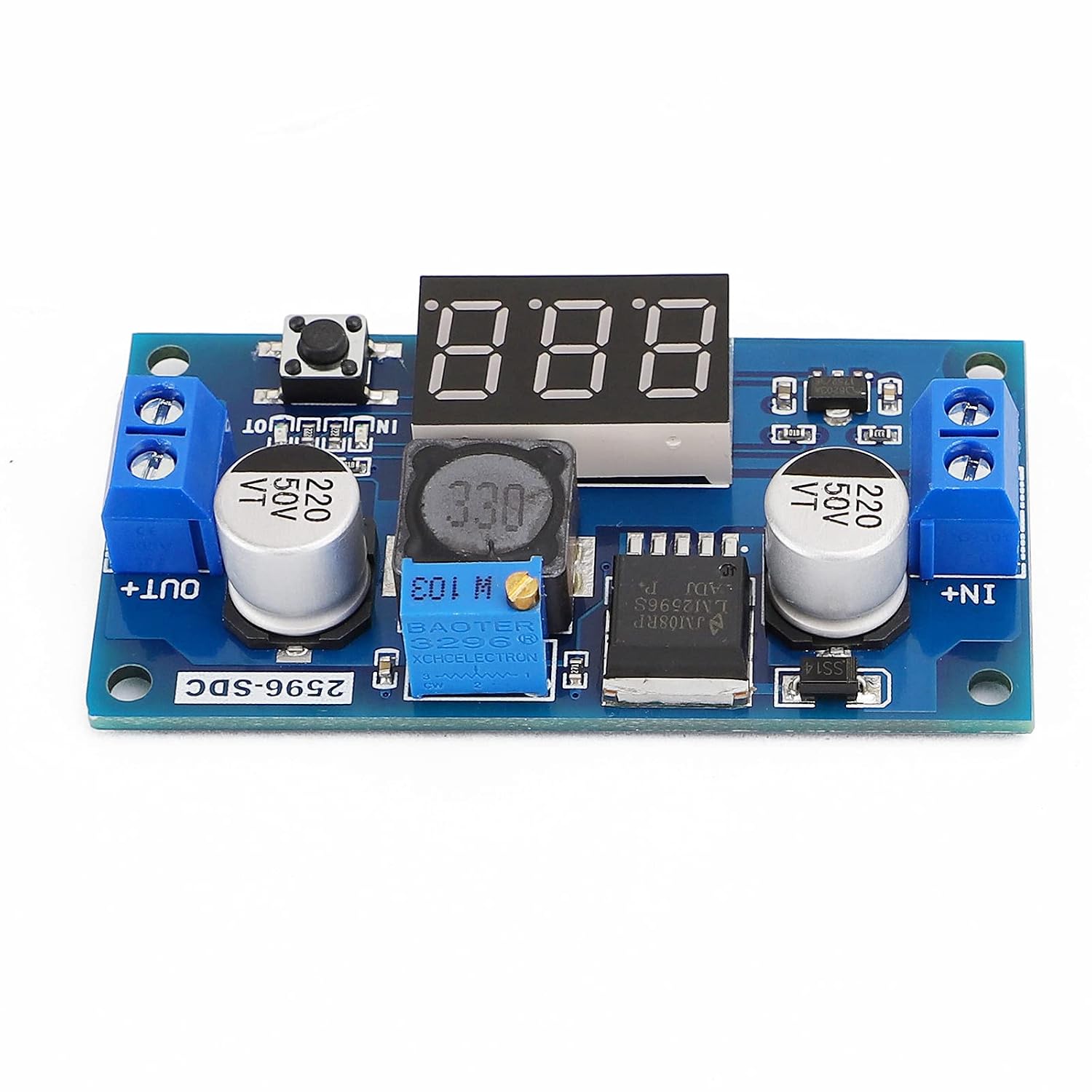


DROK® LM2596 Analog Control Buck Converter DC-DC Step-down Transformer Voltage Regulator Module 36V 24V 12V to 5V 2A Power Inverter Volt Stabilizer with Red LED Display Voltmeter Board Input/Output Voltage
See current price
Check the current price and availability on Amazon.com.
View on AmazonAffiliate link — we may earn a commission at no extra cost to you. Learn more
- Current Rating
- 3 Amps, 2 Amps
- Item Weight
- 9.07 Grams
- Package Dimensions
- 5.24 x 2.48 x 1.42 inches; 0.32 Ounces
- Item model number
- 090118
Key features
- Analog Control: using a mini screwdriver to increase or decrease output voltage by adjusting the screw, clockwise to step up voltage and counterclockwise to step down voltage.
- Has very stable output, input range is DC 4~40V and output range is DC 1.25~37V, please make sure the input voltage should be higher than output voltage at least 1V. Can be used for many electronic projects.
- Press the button next to voltmeter to test input voltage or output voltage. Green LED lights on when testing output voltage; red LED lights on when testing input voltage.
- With input and output voltage measurement error calibration function; Wiring terminals require no soldering iron and create convenient usage.
- Press the button for 1 to 4 seconds, voltmeter would be shut off when releasing your hands; the voltmeter is very accurate.
Specifications
| Brand | DROK |
|---|---|
| Current Rating | 3 Amps, 2 Amps |
| Item Weight | 9.07 Grams |
| Package Dimensions | 5.24 x 2.48 x 1.42 inches; 0.32 Ounces |
| Item model number | 090118 |
| Manufacturer | DROK |
| Country of Origin | China |
| ASIN | B00JUFJ1GA |
About this product
Parameters: Input Voltage: DC 4~40V(the input voltage should be higher than output voltage at least 1V) Output Voltage: DC 1.25~37V(continuously adjustable) Output Current: 2A(for stable operation), 3A max. Voltmeter: 0~40V Voltmeter Accuracy: .+/-0.1V Internal Oscillation Frequency: 150KHz There is a large area of copper on its back to enhance heat dissipation How to adjust accuracy of input/output volt? (1)Output voltage calibration Firstly, adjust the right button so that "OUT" LED lighted, the voltmeter shows the value of output voltage; Press the right button for more than 2 seconds, release, voltmeter and "OUT" LED flashes in synchronization so that you enter the output voltage calibration mode. Secondly, press the right button (normal speed), the voltage value is adding up a unit; Press the left button, minus a unit; Due to a unit is less than 0.1V, the minimum voltage display to 0.1V, so you need to continuously press 1-5 times to see the voltmeter change 0.1V, how many times voltmeter change 0.1V by pressing the key, depending on the current display voltage, the higher the voltage, the fewer the number of press. Thirdly, press the right button for more than 2 seconds, release, to exit the output voltage calibration mode. All parameters set to automatically power down to save. (2) Input voltage calibration Firstly, adjust the right button so that "IN" LED lighted, the voltmeter shows the value of input voltage; press the right button for more than 2 seconds, release, voltmeter and "IN" LED flashes in synchronization so that you enter the input voltage calibration mode. Steps 2 and step 3 are consistent with the output voltage calibration method.
Similar products


See current price