


La Crosse Technology· All La Crosse Technology Thermometers & Weather Instruments →
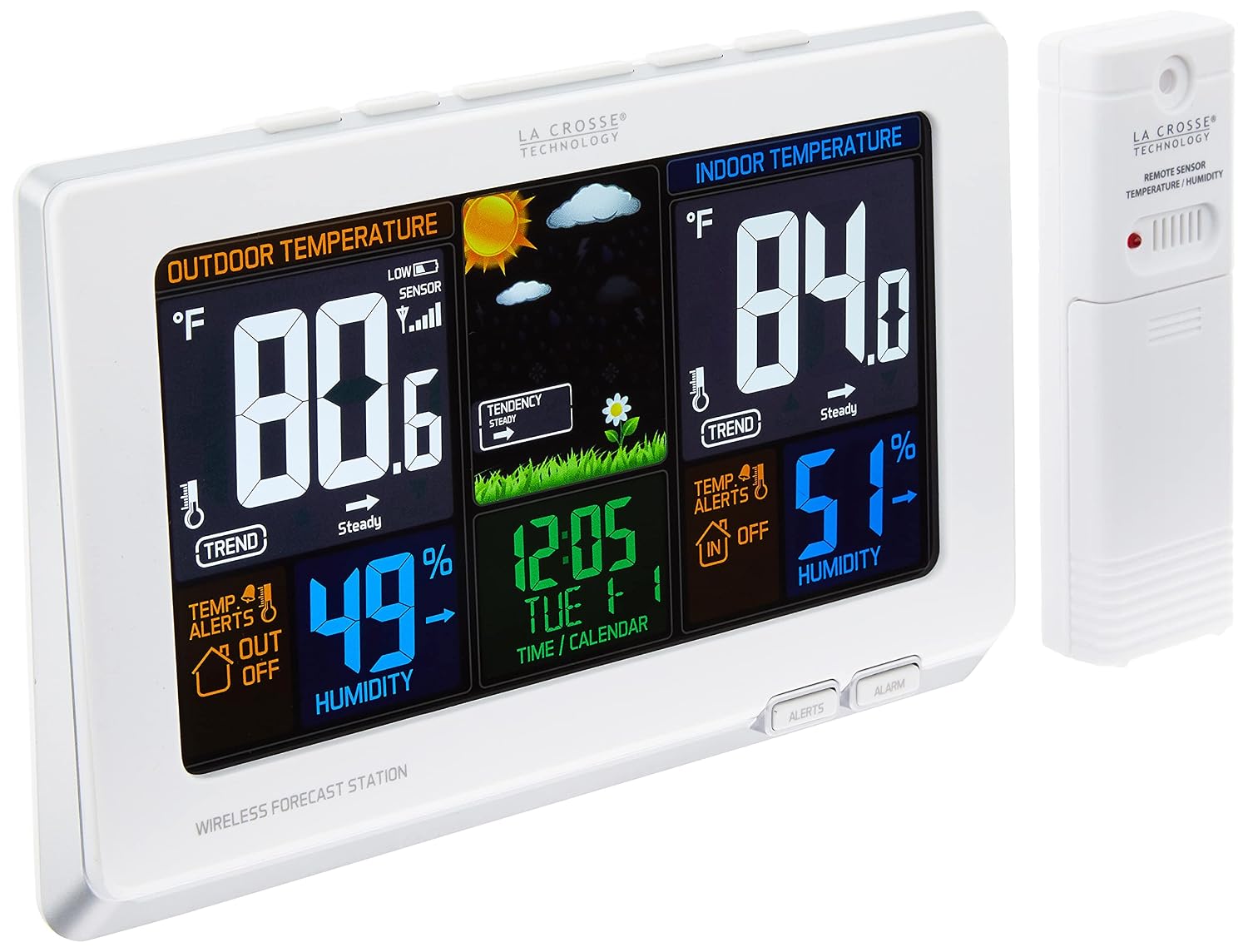
La Crosse Technology 308-1414W Wireless Atomic Digital Color Forecast Station with Alerts, White
See current price
Check the current price and availability on Amazon.com.
View on AmazonAffiliate link — we may earn a commission at no extra cost to you. Learn more
- Power Source
- Battery Powered
- Connectivity Technology
- wireless
- Number of Batteries
- 3 AAA batteries required.
- Style
- Station
Key features
- Full color LCD with weather icons: sunny, partly sunny, cloudy, rainy, stormy, snowy
- Atomic self-setting accurate time & date with automatic daylight saving time resets
- Monitors indoor & wireless outdoor temperature (f/c) & humidity (%RH) with recorded min/max values. Outdoor temperature range - -40 °F to 140 °F (-40°C to 60°C). Outdoor humidity range - 19% to 97% RH. Transmission range - Up to 300 feet
- Temperature alerts (indoor/outdoor)
- Reception & low battery indicators
- NOTE:Kindly refer to the user manual provided as a PDF manual in the product description section
Specifications
| Brand | La Crosse Technology |
|---|---|
| Power Source | Battery Powered |
| Connectivity Technology | wireless |
| Number of Batteries | 3 AAA batteries required. |
| Style | Station |
| Color | White |
| Item Dimensions LxWxH | 8.34 x 1.03 x 5.48 inches |
| Are Batteries Included | No |
| Item Weight | 1 Pounds |
| Product Dimensions | 8.34 x 1.03 x 5.48 inches; 1 Pounds |
| Item model number | 308-1414W |
| Batteries | 3 AAA batteries required. |
| Manufacturer | La Crosse Technology, Ltd. |
| Country of Origin | China |
| ASIN | B0BJSWPT2T |
About this product
Full color display gives you current temperatures & humidity, with a future forecast whether it could be sunny or rainy to snowy. Features accurate, self-set atomic time & date with automatic DST updates. Records min/max values and alerts you of extreme temperatures. Also displays your heat index and dew point. Will indicate of low battery and reception strength. Batteries required (not included). Suggestion: Suggested the following trouble shooting steps, to do a restart, taking the batteries out of both units. Also, make sure the customer is using good alkaline batteries. Then place the display and outside sensor next to each other. Put the batteries in the outside sensor first, then the display secondary without touching any buttons. Then the temperatures should prepopulate on the display and give it an hour to cool down properly from being moved and touched. And it should be reading + or – 2 degrees of each other.Weather Station Factory Restart Explanation: The factory restart returns the weather station and outdoor sensor to an “out-of-the-box” default state and often resolves an issue. Factory Restart: 1. Remove all power (batteries and AC) from outdoor sensor and weather station. 2. Press one of the buttons on the weather station at least 20 times to clear all memory. 3. Verify that the weather station is blank before proceeding (there may be lines painted on the screen that will show when there is no power). 4. Leave both units without power for 15 minutes (very important). 5. Insert the AC power cord into the wall outlet then into the weather station. 6. Insert fresh batteries into the outdoor sensor. 7. Press the TX button on the outdoor sensor to transmit RF signal. 8. Keep the outdoor sensor 5-10 feet from the weather station. 9. When RF connection is established, the temperature will appear on the station. Allow the outdoor sensor and weather station to sit together for 15 minutes to establish a strong connection. 10. Do not press buttons for 15 minutes. For optimum 433MHz transmission, place the outdoor sensor no more than 300 feet (91 meters, open air) from the weather station
La Crosse Technology
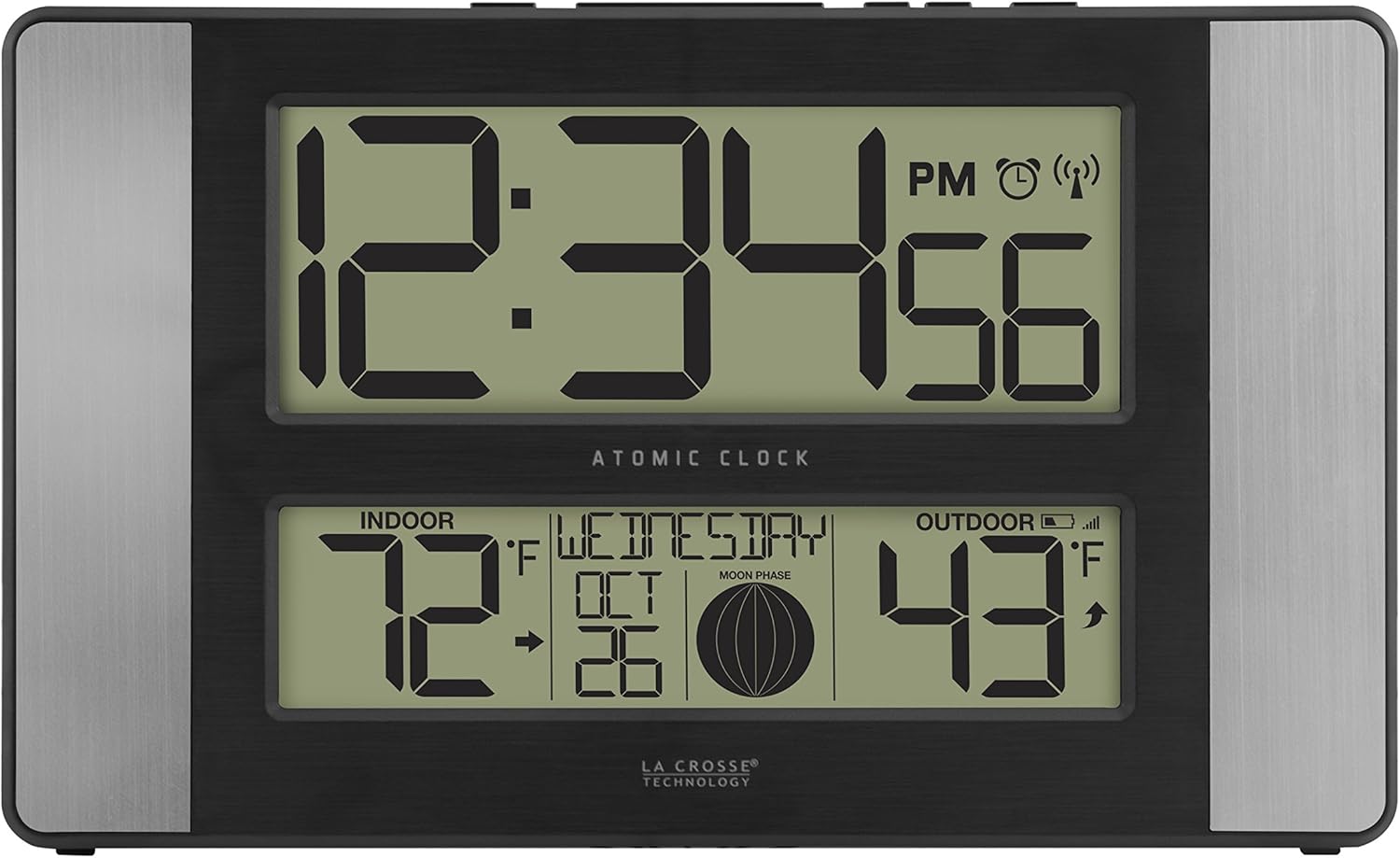
La Crosse Technology 513-1417AL-INT Atomic Clock w Outdoor Temp, Grey/Black
See current price


La Crosse Technology
La Crosse Technology S88907 Vertical Wireless Color Forecast Station with Temperature Alerts
See current price
See current price