Pass & Seymour
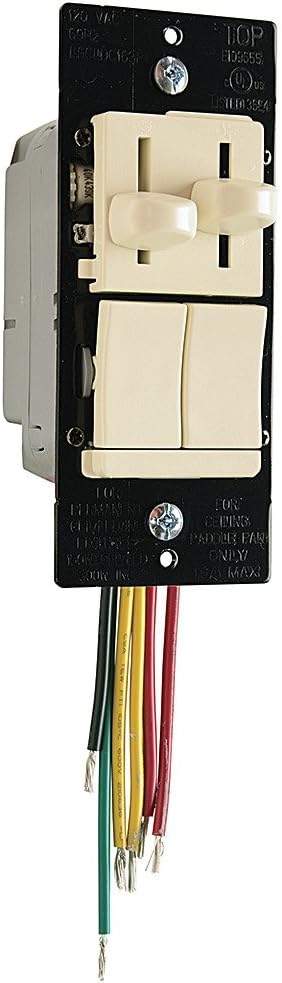
Legrand-Pass & Seymour LSCLDC163PLACCV4 LS TradeMaster174; CFL/LED/Incandescent 3-Way
See current price



See current price
Check the current price and availability on Amazon.com.
View on AmazonAffiliate link — we may earn a commission at no extra cost to you. Learn more
| Manufacturer | Pass & Seymour/Legrand |
|---|---|
| Part Number | RT1LACCV4 |
| Item Weight | 0.3 Pounds |
| Product Dimensions | 1.76 x 3.83 x 5.88 inches |
| Country of Origin | China |
| Item model number | RT1LACCV4 |
| Color | Light Almond |
| Item Package Quantity | 1 |
| Mounting Type | Wall |
| Switch Style | Rocker Switch |
| Included Components | Wall plate not included |
| Batteries Included? | No |
| Batteries Required? | No |
| Warranty Description | Lifetime. |
| Domestic Shipping | Item can be shipped within U.S. |
| International Shipping | This item can be shipped to select countries outside of the U.S. Learn More |
| Brand | Pass & Seymour |
| Number of settings | 7 |
| ASIN | B07GQM5PZK |
How it works: The RT1 is a time switch that turns OFF the connected light or fan when the selected time expires. The pilot light behind the ON/OFF button and the time delay indicator light illuminates while the switch is OFF. When the switch is ON, the pilot light behind the ON/OFF button turns OFF. Manual ON Turn ON the connected light or fan by pressing the desired time button, or the ON/OFF button. If you press the ON/OFF button, it activates the time delay that was last used Manual OFF While the timer is active, you can press the ON/OFF button to turn OFF the connected light or fan without delay Changing the selected time If you decide that you need more or less time than you originally selected, restart the time switch by pressing the button that matches the amount of time you think you’ll need
Pass & Seymour
See current price

Pass & Seymour
See current price


Pass & Seymour
See current price
See current price