
logitech
Original Logitech Ir Mini Blaster (Emitter) for Logitech Harmony Smart Control Remote
See current price





See current price
Check the current price and availability on Amazon.com.
View on AmazonAffiliate link — we may earn a commission at no extra cost to you. Learn more
| Product Dimensions | 5.39 x 1.85 x 9.53 inches |
|---|---|
| Item Weight | 8 ounces |
| Manufacturer | Logitech |
| Item model number | 915-000114 |
| Batteries | 2 AA batteries required. (included) |
| Brand | Logitech |
| Special Feature | Backlit |
| Color | Silver |
| Max Number of Supported Devices | 8 |
| Compatible Devices | Television |
| ASIN | B0038OMEQI |
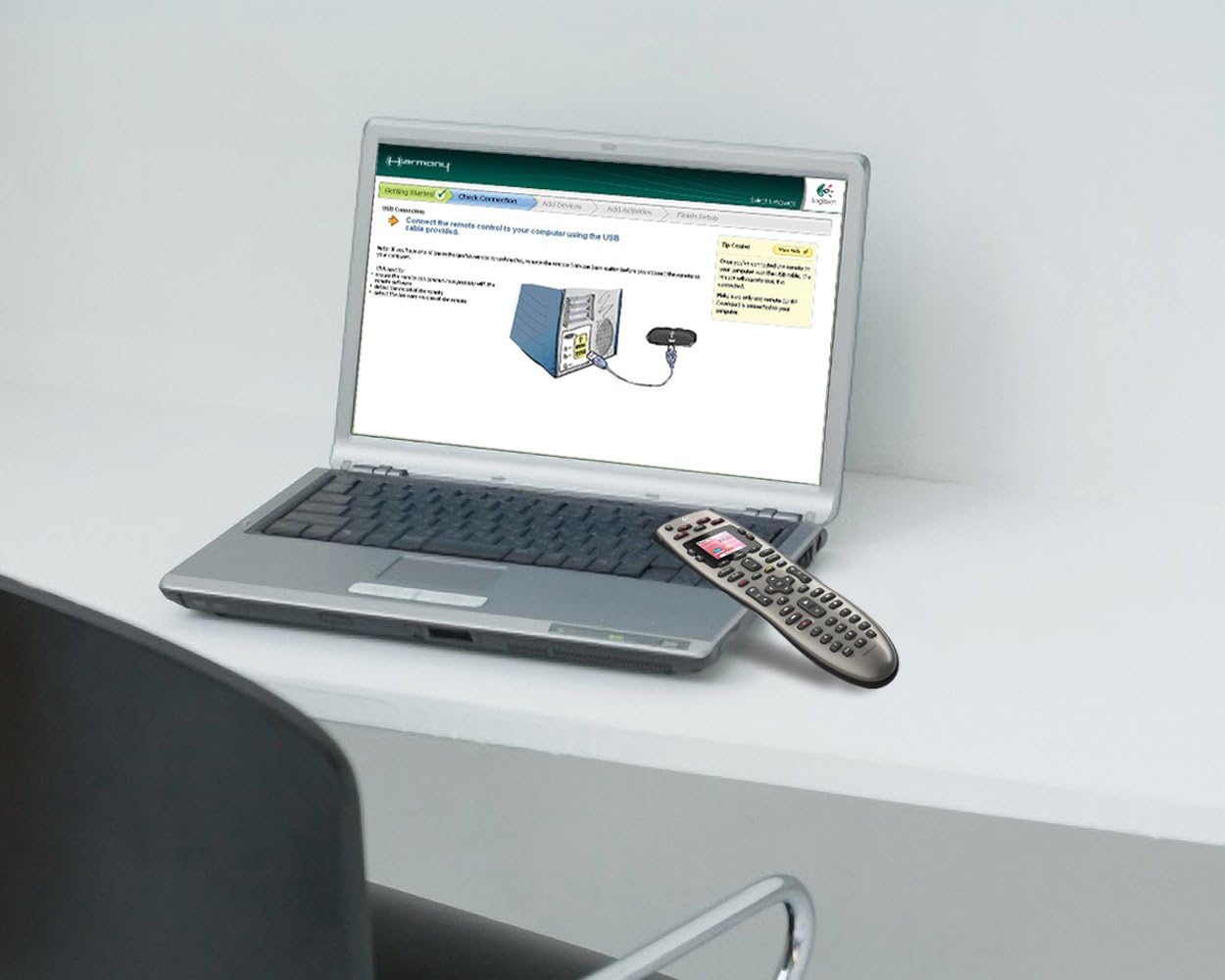
Product Description Logitech Harmony 650 Remote (Silver) From the Manufacturer Now your favorite channels and activities are only one button click away Harmony 650 Remote Noteworthy Features • Universal control of 5 devices • Works with equipment you own now and add later • Color screen displays commands and your favorite channels • Activity buttons turn on the right devices with one touch download a spec sheet It's a snap to set up right from your computer Logitech Harmony 650 Remote One click to show time Having a home theater system is all about relaxing. After a busy day, you just want to drop down on the couch, press a button and start the show. But, juggling all the remotes and equipment settings can be anything but relaxing. The Logitech Harmony 650 makes entertainment simple again for you and everyone in your home. It replaces a pile of remotes with the only one you need. And you get right to your movie, music or favorite channel in one click. Colorful command screen Favorite-channel icons: Find your top news broadcasts, sports programs and talk shows faster Favorite-channel icons: Find your top news broadcasts, sports programs and talk shows faster Quick commands: Instantly see and select commands for whatever devices you're using Quick commands: Instantly see and select commands for whatever devices you're using Smart display: See on-screen help at the touch of a button Click-and-go activity buttons Smart display: See on-screen help at the touch of a button Click-and-go activity buttons One-touch simplicity: Press a button like "Watch TV" or "Listen to Music" and Harmony switches the right devices to the right settings Control 5 devices from 5000+ brands One-touch simplicity : Press a button like "Watch TV" or "Listen to Music" and Harmony switches the right devices to the right settings Control 5 devices from 5000+ brands No more cheat sheets: Toss away the lists of what to turn on and which buttons to press on multiple remotes No more cheat sheets: Toss away the lists of what to turn on and which buttons to press on multiple remotes Replaces up to 5 other remotes: Say goodbye to all the complications and coffee table clutter Replaces up to 5 other remotes: Say goodbye to all the complications and coffee table clutter Controls all devices: Harmony works with more than 225,000 components from 5000+ brands Controls all devices: Harmony works with more than 225,000 components from 5000+ brands Never obsolete: Logitech's device database is updated every day, so you can be confident Harmony will control whatever you own today—and add tomorrow Guided online setup Never obsolete: Logitech's device database is updated every day, so you can be confident Harmony will control whatever you own today—and add tomorrow Guided online setup Simple from the start: Just connect Harmony to your computer and Logitech's online software walks you through the quick setup Simple from the start: Just connect Harmony to your computer and Logitech's online software walks you through the quick setup No equipment code hassles: Instead of having to enter complicated codes, simply select your devices and the software automatically sets up your remote No equipment code hassles: Instead of having to enter complicated codes, simply select your devices and the software automatically sets up your remote Live customer support: Help is always a click or call away Which Harmony Is Right For You? Harmony 650Simple, one-button access to movies, music, and more.Harmony 700Simple control that's always charged and ready for your entertainment.Harmony OneSimple, stylish touch-screen control of your entertainment.Harmony 900Complete control of devices you can't see.Harmony 1100Personalized control of your home theater system. Control Features Harmony 650 Harmony 700 Harmony One Harmony 900 Harmony 1100 Number of devices supported Up to 5 Up to 6 Up to 15 Up to 15 Up to 15 LCD display Color screen Color screen Color touch-screen Color touch-screen 3.5" color touch-screen Activity-based controls Layout optimized for DVD/TiVo Contoured design to fit comfortably in your hand Customizable screen for more powerful personalization RF support for control of devices inside cabinets Easy-to-install RF System for RF connection RF wireless extender for RF connection Available separately Power Management Harmony 650 Harmony 700 Harmony One Harmony 900 Harmony 1100 Battery operated Rechargeable With cable With docking station With docking station With docking station With Every Harmony Remote Harmony 650 Harmony 700 Harmony One Harmony 900 Harmony 1100 Simple online setup with PC or Mac Growing database of 225,000+ entertainment devices so you know Harmony will work with your devices today and tomorrow Live support if you hit a snag A handy help button so you're never stuck 1-year warranty System Support Harmony 650 Harmony 700 Harmony One Harmony 900 Harmony 1100 Windows XP, Vista, 7 Mac OS X (10.3 or later) What's In The Box?Package Contents Live customer support: Help is always a click or call away Which Harmony Is Right For You? Harmony 650 Simple, one-button access to movies, music, and more. Harmony 700 Simple control that's always charged and ready for your entertainment. Harmony One Simple, stylish touch-screen control of your entertainment. Harmony 900 Complete control of devices you can't see. Harmony 1100 Personalized control of your home theater system. Control Features Harmony 650 Harmony 700 Harmony One Harmony 900 Harmony 1100 Number of devices supported Up to 5 Up to 6 Up to 15 Up to 15 Up to 15 LCD display Color screen Color screen Color touch-screen Color touch-screen 3.5" color touch-screen Activity-based controls Layout optimized for DVD/TiVo Contoured design to fit comfortably in your hand Customizable screen for more powerful personalization RF support for control of devices inside cabinets Easy-to-install RF System for RF connection RF wireless extender for RF connection Available separately Power Management Harmony 650 Harmony 700 Harmony One Harmony 900 Harmony 1100 Battery operated Rechargeable With cable With docking station With docking station With docking station With Every Harmony Remote Harmony 650 Harmony 700 Harmony One Harmony 900 Harmony 1100 Simple online setup with PC or Mac Growing database of 225,000+ entertainment devices so you know Harmony will work with your devices today and tomorrow Live support if you hit a snag A handy help button so you're never stuck 1-year warranty System Support Harmony 650 Harmony 700 Harmony One Harmony 900 Harmony 1100 Windows XP, Vista, 7 Mac OS X (10.3 or later) What's In The Box? Package Contents Logitech Harmony 650 Remote Logitech Harmony 650 Remote USB cable USB cable 2 AA batteries 2 AA batteries User documentation User documentation 1-year limited hardware warranty System Requirements Windows-based PC 1-year limited hardware warranty System Requirements Windows-based PC Windows XP, Windows Vista, or Windows 7 Mac computer Windows XP, Windows Vista, or Windows 7 Mac computer Mac OS X 10.4.8 or later Mac OS X 10.4.8 or later USB port USB port Internet access Internet access
logitech
See current price


logitech
See current price
See current price