


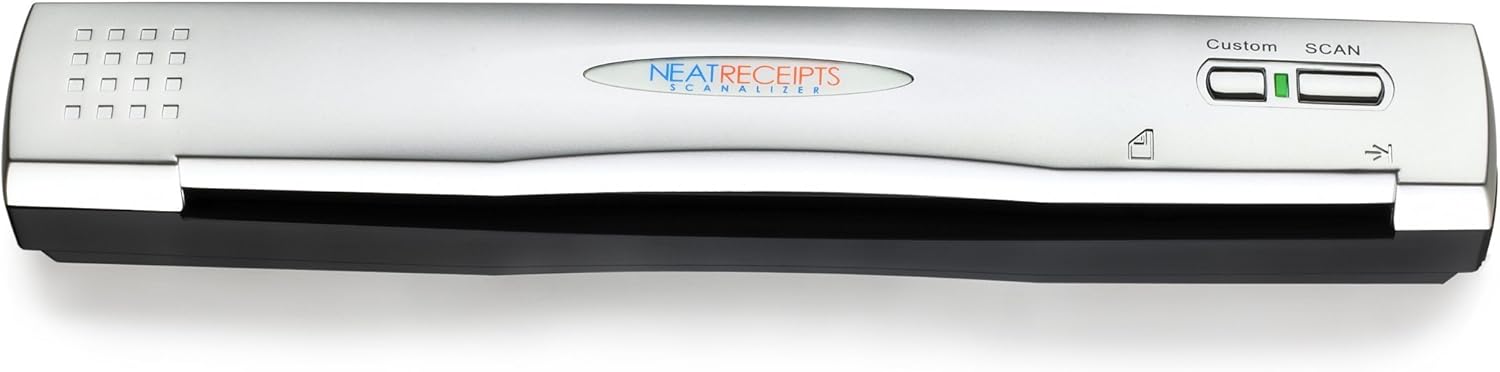
NeatReceipts Mobile Scanner and Digital Filing System for Mac
See current price
Check the current price and availability on Amazon.com.
View on AmazonAffiliate link — we may earn a commission at no extra cost to you. Learn more
- Brand
- The Neat Company
- Item Weight
- 1.75 Pounds
- Product Dimensions
- 14 x 10 x 4 inches
- Item model number
- 00322
Key features
- Slim and lightweight, can run on USB from your computer
- Neat reads and extracts the information from whatever you scan - creating digital content
- Create tax or expense reports with receipt data, or export to Excel, Quicken, or TurboTax and sync contacts with Outlook or Address Book
- Includes a free 30-day trial of NeatCloud, to sync and back up Neat files, and access them anywhere from browser or mobile device
- Includes NeatCare- premium support and accidental damage protection for your NeatDesk - for as long as you are a NeatCloud customer
Specifications
| Manufacturer | NeatReceipts |
|---|---|
| Brand | The Neat Company |
| Item Weight | 1.75 Pounds |
| Product Dimensions | 14 x 10 x 4 inches |
| Item model number | 00322 |
| Color | White |
| Sheet Size | Cabinet |
| Manufacturer Part Number | 00322 |
| Media Type | Receipt, Paper, Business Card |
| Scanner Type | Receipt, Book, Photo, Text, Document, Business Card |
| Connectivity Technology | USB |
| Item Dimensions LxWxH | 14 x 10 x 4 inches |
| Resolution | 600 |
| Standard Sheet Capacity | 50 |
| Minimum System Requirements | Windows 7 |
| ASIN | B001CQDOMM |
About this product
Product Description Finally, it's arrived, designed and built exclusively for Mac users. Say hello to your organized, digital self. NeatReceipts for Mac provides receipt and document scanning, intelligent text recognition, professional expense reports, collections of documents, searchable PDFs, and more! Amazon.com Scan and organize receipts and documents in a familiar Max OS X interface. Create expense reports, track spending and create a library of searchable PDF documents. Includes Neat Mobile Scanner and NeatReceipts for Mac Version 2.0. NeatReceipts® for Mac is a mobile scanner and digital filing system that enables you to scan receipts and documents so you can organize, store and secure all your important information. The patented technology identifies and extracts the important information—and automatically organizes it for you. Transform receipts into expense reports and create searchable PDF files from any document. Export information to PDF and Excel®. NeatReceipts for Mac was developed specifically for Mac to look and feel like the applications you use every day. With NeatReceipts, you get a digital filing cabinet that is secure and portable. Create separate libraries for multiple businesses, projects or time periods. Scan in receipts to: Create expense reports Create expense reports Keep records of vendors, dates, totals, even sales tax Keep records of vendors, dates, totals, even sales tax Save digital copies for tax documentation (accepted by the IRS) Save digital copies for tax documentation (accepted by the IRS) Create your own searchable library of information Create your own searchable library of information Scan in documents to: Create searchable PDFs Create searchable PDFs Capture text that you can edit Capture text that you can edit Organize documents into collections Organize documents into collections Organize Your Information: Create separate libraries for multiple businesses, projects or time periods Create separate libraries for multiple businesses, projects or time periods Organize documents by collections so you can keep relevant items organized together Organize documents by collections so you can keep relevant items organized together Create Smart Collections of receipts or documents based on specific criteria Create Smart Collections of receipts or documents based on specific criteria Import PDF copies of receipts and documents stored on your hard drive Import PDF copies of receipts and documents stored on your hard drive Transform paper into information that works. With our unique parsing technology, NeatReceipts® can actually recognize and activate the information you care about—so you can edit, add notes, and more. Store. Organize. Secure. With NeatReceipts, you get a digital filing cabinet that intelligently organizes and secures all your important information. One hardware-software solution. Our scanner works seamlessly with one easy-to-install, intuitive software application to manage all your receipts and documents. It works where you work. At less than one pound, NeatReceipts is perfect for the road, home, or office. NeatReceipts for Mac was developed from the ground up to look and feel like the applications you use every day. It features drag-and-drop functionality, multiple views, and imports eReceipts. You can even add receipts or documents by "printing" from any application. What's in the box NeatReceipts Scanner for Mac NeatReceipts Scanner for Mac USB cable USB cable Calibration paper Calibration paper Dry cleaning paper Dry cleaning paper Alcohol cleaning paper Alcohol cleaning paper Instruction manual Instruction manual Installation CD. Installation CD. From the Manufacturer Scan and organize receipts and documents in a familiar Max OS X interface. Create expense reports, track spending and create a library of searchable PDF documents. Includes Neat Mobile Scanner and NeatWorks for Mac software. NeatReceipts for Mac is a mobile scanner and digital filing system that enables you to scan receipts and documents so you can organize, store and secure all your important information. The patented technology identifies and extracts the important information--and automatically organizes it for you. Transform receipts into expense reports and create searchable PDF files from any document. Export information to PDF and Excel. NeatReceipts for Mac was developed specifically for Mac to look and feel like the applications you use every day. Create separate libraries for multiple businesses, projects or time periods Secure and portable digital filing cabinet Transform Paper into Information that Works With our unique parsing technology, NeatReceipts can actually recognize and activate the information you care about--so you can edit, add notes, and more. Store, Organize, and Secure With NeatReceipts, you get a digital filing cabinet that intelligently organizes and secures all your important information. One Hardware-Software Solution The Neat scanner works seamlessly with one easy-to-install, intuitive software application to manage all your receipts and documents. It Works Where You Work At less than one pound, NeatReceipts is perfect for the road, home, or office. NeatReceipts for Mac was developed from the ground up to look and feel like the applications you use every day. It features drag-and-drop functionality, multiple views, and imports eReceipts. You can even add receipts or documents by "printing" from any application. Scan in Receipts With NeatReceipts you can save digital copies of receipts and records of vendors, dates and totals, create expense reports and manage business and personal expenses. The software also allows users to keep track of expenses for tax time (records accepted by the IRS) and easily export data to Excel, Quicken, QuickBooks, TurboTax. Scan in Business Cards Organize your Rolodex digitally by creating digital images of cards and contact information with NeatReceipts. The software captures name, address, company, title, and more, creating your own searchable contact database and allows for export to Outlook and and other contact software. Scan in Documents NeatReceipts also allows you to create searchable PDF files, editing text using copy/paste, and organize and store in a digital filing cabinet within the Neat software. What's in the Box Neat Mobile scanner, Neatworks for Mac software installation CD, USB cable, protective pouch, scanner calibration and cleaning paper, Quick Start Guide. System Requirements Mac OS X v10.5.8 or later Mac OS X v10.5.8 or later Mac computer with an Intel processor Mac computer with an Intel processor 1 GB of RAM; 3 GB recommended 1 GB of RAM; 3 GB recommended 256MB of available disk space for installation,1GB recommended for user data 256MB of available disk space for installation,1GB recommended for user data CD-ROM or DVD drive required for installation CD-ROM or DVD drive required for installation Available USB port Available USB port See more
Similar products
The Neat Company
NeatReceipts Scanalizer Professional 2.5 Mobile Scanner and Software
See current price

The Neat Company
The Neat Company NeatDesk Desktop Scanner and Digital Filing System, Home Office Edition, 2005410
See current price
See current price