
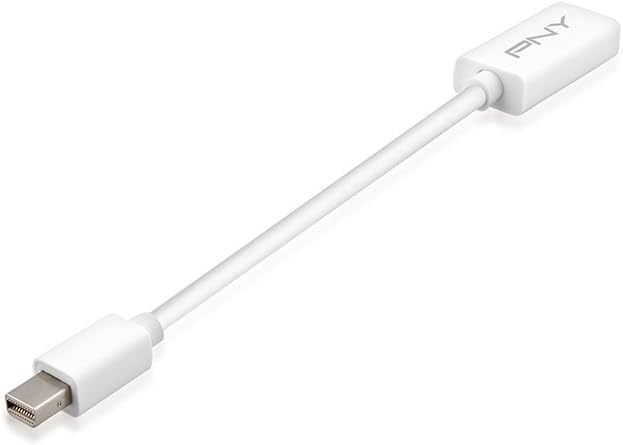



PNY Thunderbolt Mini DisplayPort to HDMI Adapter (A-DM-HD-W01)
See current price
Check the current price and availability on Amazon.com.
View on AmazonAffiliate link — we may earn a commission at no extra cost to you. Learn more
- Item Weight
- 0.32 ounces
- Manufacturer
- PNY
- Language
- English
- Item model number
- A-DM-HD-W01
Key features
- Full 1080p HD video
- Full HD audio for the ultimate in surround sound
- Ideal accessory for Apple MacBook, MacBook Air, MacBook Pro, and Mac Mini
Specifications
| Product Dimensions | 4.75 x 0.5 x 6.25 inches |
|---|---|
| Item Weight | 0.32 ounces |
| Manufacturer | PNY |
| Language | English |
| Item model number | A-DM-HD-W01 |
| ASIN | B00G2X4NS4 |
About this product
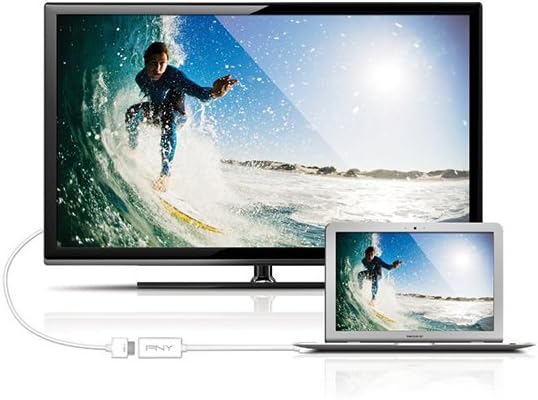
Product Description Simply, plug the Mini Display Port end into your Mac, and connect the HDMI end to an HDMI (Type-A) cable, then plug the cable into your HDMI input jack. Please Note: The Mini Display Port is only found on newer models of Macs. You should check what port type you have before purchase. Mini Display Ports dating before April 2010 do not support audio out and will not transmit sound. Helpful Notes: It will need to be used with an HDMI cable (sold separately). Apple Computers with Mini Display Port: MacBook, MacBook Pro, MacBook Air, and Mac Mini. Also, works with Mac computers that have Thunderbolt. From the Manufacturer Overview See the bigger picture with PNY Viewing your MacBook on your HDTV doesn't get any easier. Simply, plug the Mini DisplayPort end into your Mac®, and connect the HDMI end to an HDMI (Type-A) cable, then plug the cable into your HDMI input jack. Your photos, your videos, your presentations, your games - view them all in HD on the big screen. The Mini DisplayPort adapter will need to be used with an HDMI cable (sold separately). Please Note: The Mini DisplayPort is only found on newer models of Macs. You should check what port type you have before purchase. Mini DisplayPorts dating before April 2010 do not support audio out and will not transmit sound. Ideal For: HD Video/Photo Playback HD Video/Photo Playback Streaming Media Streaming Media Viewing Documents Viewing Documents Sharing Content with Friends/Family Sharing Content with Friends/Family 1. HDMI cable (sold separately). Apple Computers with Mini DisplayPort: MacBook, MacBook Pro, MacBook Air, and Mac Mini. Also, works with Mac computers that have Thunderbolt. Warranty One year limited warranty
Similar products


See current price