

QUMOX
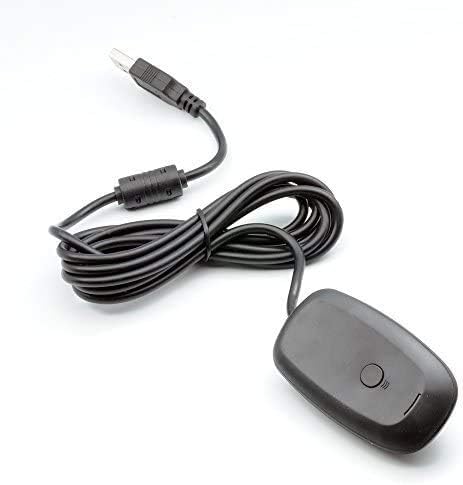
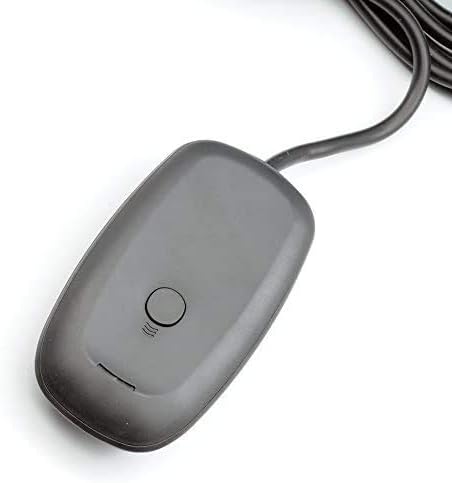
QUMOX Wireless Gaming Receiver Compatible with The Microsoft Xbox 360 for PC Controller Windows
See current price
Check the current price and availability on Amazon.com.
View on AmazonAffiliate link — we may earn a commission at no extra cost to you. Learn more
- Item Weight
- 0.09 Kilograms
- Item model number
- L106U_SML
- Manufacturer
- QUMOX
- Compatible Devices
- Laptop, PC, Headphone
Key features
- Most Important: If your computer is win 10 system with version 2004, please contact us first for user guide after receiving the item.
- Provides up to a 30-foot range for complete wireless freedom
- Use up to four Wireless Controllers and four Wireless Headsets simultaneously with Wireless Gaming Receiver
- Easily integrates with PC gaming scenarios and utilizes the same binding technology as Xbox 360
- Works with Windows based PCs and Laptops with a USB 2.0 port.
Specifications
| Package Dimensions | 6.97 x 4.53 x 0.91 inches |
|---|---|
| Item Weight | 0.09 Kilograms |
| Item model number | L106U_SML |
| Manufacturer | QUMOX |
| Compatible Devices | Laptop, PC, Headphone |
| Color | Grey |
| Brand | QUMOX |
| Number of Ports | 2 |
| ASIN | B00LUJTK3I |
About this product
Plugs into a PC USB port and has a six foot cable. (NOTE: The Wireless Gaming Receiver requires a powered USB port to operate. If you're using the Wireless Gaming Receiver with a USB hub, the USB hub must have an external power source.) The 360 Wireless Gaming Receiver which is compatible with Windows and Xbox lets you take your quality, wireless gaming experiences that you enjoy on your console and experience them on your Games for Windows platform Guide for Windows 10: 1. right-click on the start icon and select the Device Manager item; 2. click with the right mouse button on Unknown Device, and then Update Driver Software...; 3. Click Search for driver software on your computer; 4. Click Choose manually from a list of device on your computer; 5. You will now need to select the type of device in the list below. You will find XBOX 360 peripherals, select this item and go ahead; 6. Select XBOX 360 Wireless Receiver for Windows, go ahead; 7. click yes. You can now close Device Manager . To connect your Xbox 360 Wireless Controller to your computer now all you have to do is hold down the Xbox button, in the middle of the Gamepad, for about a second, until you turn on the LEDs on the pad, you'll hear this the sound of connecting a new device to your PC. Keep in mind that this procedure should be repeated if you change usb port. Once the driver is installed on a particular usb port, you will no longer need to re-install when we connect the receiver to the latter port. Attention please:If your computer is win 10 system with version 2004, please contact us first for user guide after receiving the item. Package Include: 1 x 360 Wireless Gaming Receiver for Xbox 1 x CD.
Similar products

See current price