


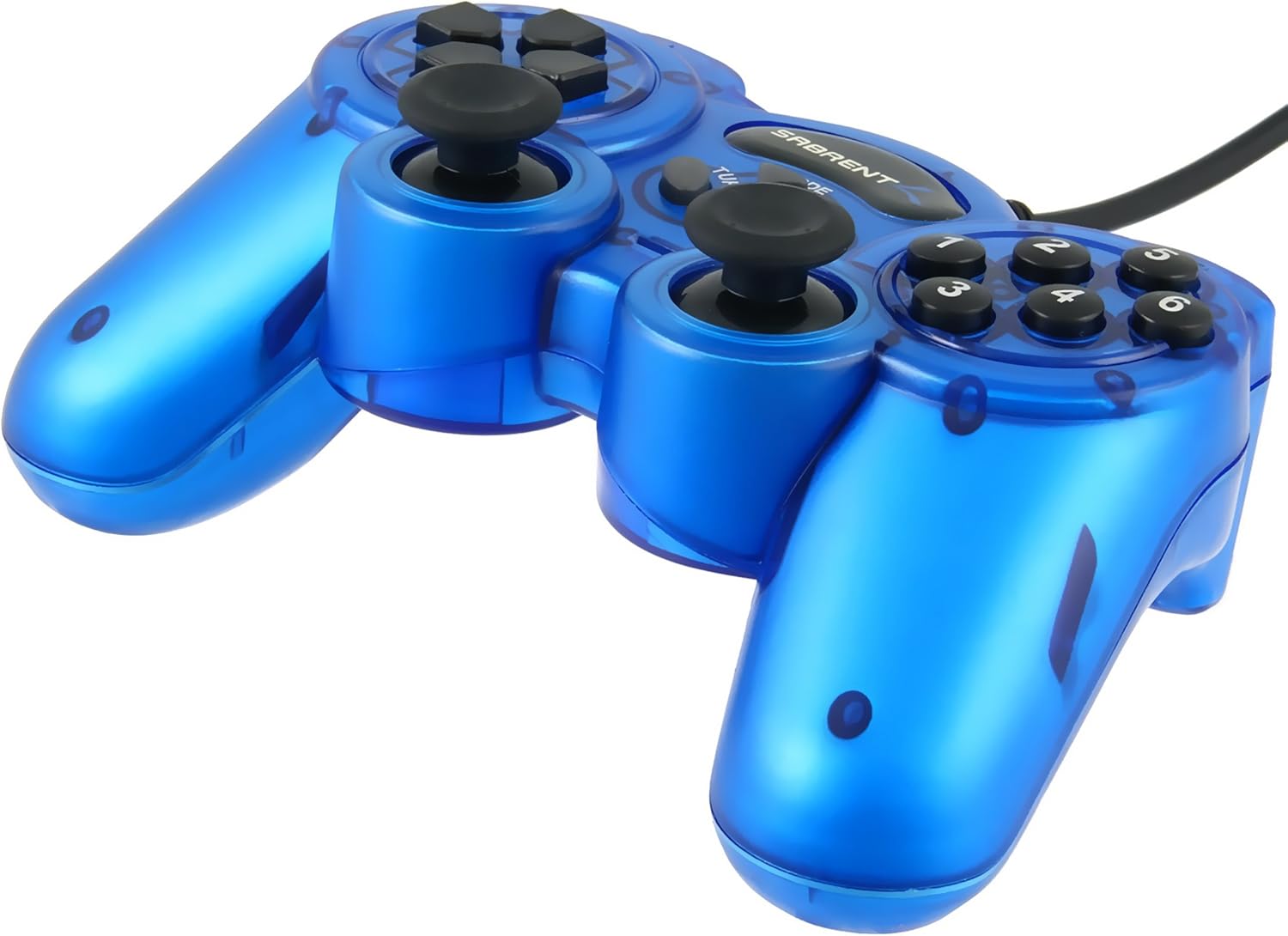




Sabrent Game Controller USB 2.0 per PC a 12 Pulsanti (USB-GAMEPAD)
See current price
Check the current price and availability on Amazon.com.
View on AmazonAffiliate link — we may earn a commission at no extra cost to you. Learn more
- Series
- USB-GAMEPAD
- Item model number
- USB-GAMEPAD
- Hardware Platform
- pc
- Operating System
- Mac,Vista,Windows 2000
Key features
- Play PC games at a much higher level.
- Designed for your comfort, easy to hold.
- Works with Windows 2000/XP/Vista/7/8 and Mac-Intel OS X.
- Extra long cable for comfortable gaming.
- 12 fully-programmable buttons
Specifications
| Brand | SABRENT |
|---|---|
| Series | USB-GAMEPAD |
| Item model number | USB-GAMEPAD |
| Hardware Platform | pc |
| Operating System | Mac,Vista,Windows 2000 |
| Item Weight | 10.4 ounces |
| Product Dimensions | 8.58 x 3.7 x 7.28 inches |
| Item Dimensions LxWxH | 8.58 x 3.7 x 7.28 inches |
| Color | Red |
| Power Source | Corded Electric |
| Manufacturer | Sabrent |
| Model Name | USB-GAMEPAD |
| Compatible Devices | PC, Windows, Mac |
| Controller Type | Joystick, Windows |
| Connectivity Technology | USB |
| ASIN | B00AEWTSWU |
About this product
Play games on your PC with a sixth-generation-style controller! This gamepad has a familiar and comfortable design, with full functionality. Left and Right analog sticks and L1/L2/R1/R2 buttons add to your game-playing enjoyment, along with a vibration feature. Just plug the gamepad into an available USB port and you're ready to go! Happy gaming! Features: - Plug & Play - Broad game support (MAME or contemporary Windows ® games) - Distinctive six-thumb buttons layout - 12 fully-programmable buttons - Analog and digital modes - Two clickable analog mini-joysticks - Two pairs of L + R rear buttons - Mode, Turbo, and Clear function buttons - USB interface - Supports DirectX 7.0 + - Length of cable: 2 meters / 6.5 feet System requirements: * Windows 2000/XP/Vista/7/8 * Mac-Intel OS X Package Contents: - USB game controller - Driver CD Basic Installation: 1 - The Sabrent USB-GAMEPAD is Plug & Play, which means that no special drivers are needed. However, you must have AUTOMATIC DRIVERS UPDATE turned on. 2 - Once connected, make sure to check under “DEVICES AND PRINTERS” to see if there’s a “Generic USB Joystick” icon. This will confirm that Windows actually sees the device and that’s installed properly. 3 - Push the MODE button (red LED on) to enable the gamepad’s DIGITAL MODE (this mode will enable all the buttons and both sticks).
Similar products
![Redragon S101 Gaming Keyboard, M601 Mouse, RGB Backlit Gaming Keyboard, Programmable Backlit Gaming Mouse, Value Combo Set [New Version]](https://m.media-amazon.com/images/I/71kr3WAj1FL._AC_SL1500_.jpg)
See current price