


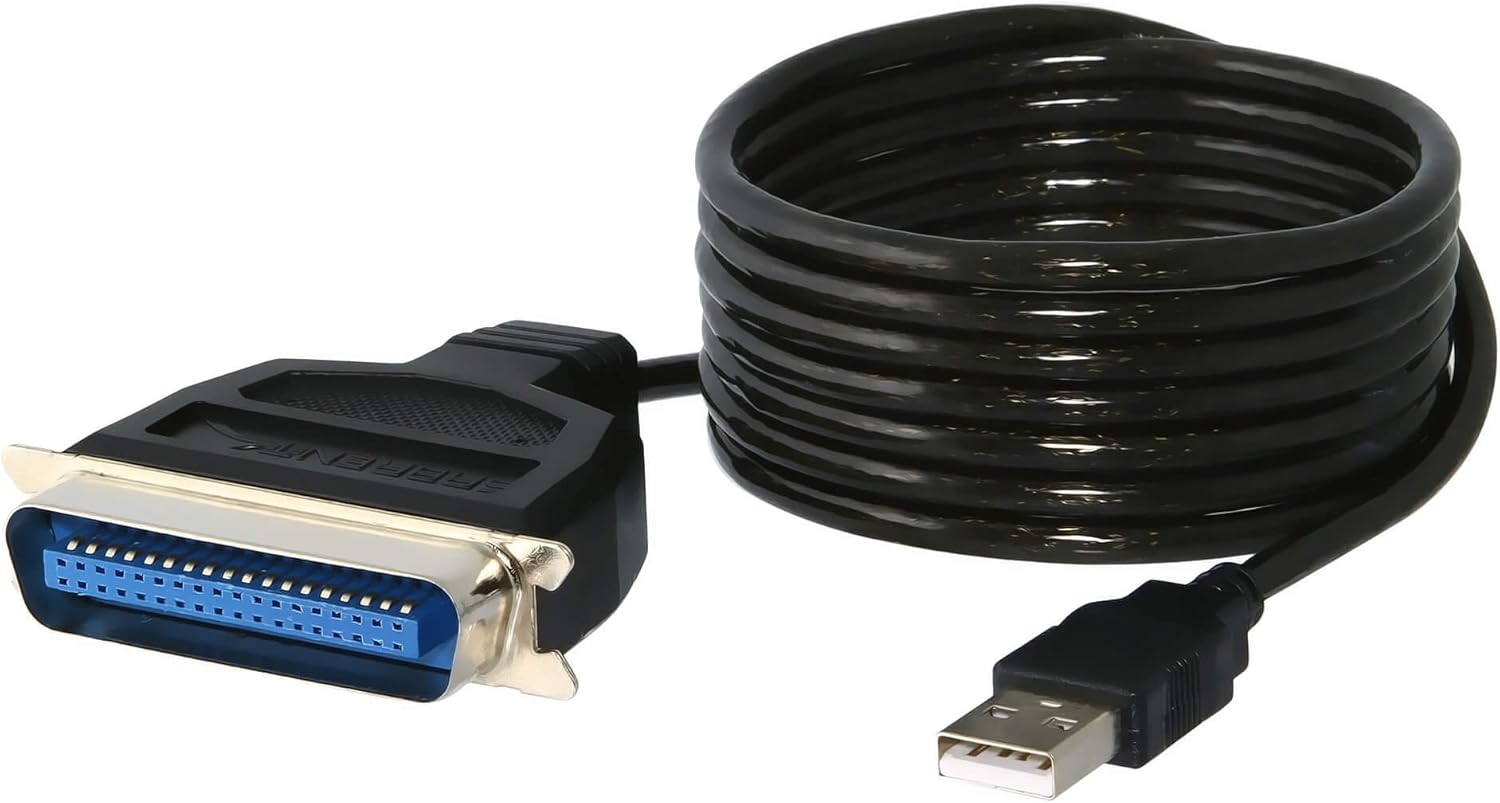
Sabrent SBT-UPPC USB to Parallel 6-Foot Printer Cable
See current price
Check the current price and availability on Amazon.com.
View on AmazonAffiliate link — we may earn a commission at no extra cost to you. Learn more
- Connector Type
- USB Type A
- Cable Type
- Printer cable
- Compatible Devices
- Printer
- Special Feature
- Data Transfer
Key features
- The Sabrent USB-to-Parallel, 6-foot printer cable is the best solution to convert USB signals to parallel port signals
- With a bi-directional technique, this cable makes the communication completely from USB port to parallel port
- The model also makes the communication work with both a PC and a Macintosh.
- This USB-to-parallel printer cable is typically used to connect a printer to a USB port on a PC.
- It connects a desktop or laptop computer with on-board USB to a parallel interface printer.
Specifications
| Brand | SABRENT |
|---|---|
| Connector Type | USB Type A |
| Cable Type | Printer cable |
| Compatible Devices | Printer |
| Special Feature | Data Transfer |
| Color | Black |
| Connector Gender | Male-to-Male |
| Data Transfer Rate | 0.01 Gigabits Per Second |
| Unit Count | 1 Count |
| Item Weight | 4 ounces |
| Number of Items | 1 |
| Package Type | Standard Packaging |
| Product Dimensions | 6.5 x 5.4 x 1.8 inches |
| Item model number | SBT-UPPC |
| Manufacturer | SABRENT |
| Language | English |
| ASIN | B0007UVRVO |
About this product
Product Description SABRENT SBT-UPPC USB to Parallel (Printer IEEE 1284) Cable - 6 feet BLACK This Printer Cable connects USB and IEEE-1284 parallel port on any peripherals. This is the best solution to converts USB signal to parallel port signals, which is also compatible with most printers' supported drivers. With bi-directional technique, this cable makes the communication completely either from USB port to parallel port or from parallel port to USB port. The model also makes the communication work both in PC and in Macintosh. This USB to parallel printer cable is typically used to connect a printer to a USB port on a PC. Connects a Desktop or Laptop Computer with On-Board USB to a Parallel Interface printer. This USB-to-Parallel Interface Converter Cable allows any standard parallel printer connect to USB port. The USB interface provides a much faster data transfer rate than a standard parallel port, thereby reducing the time waiting for a print job to be sent to your printer. Specifications: Allows USB Only Computers to send Print Jobs to Parallel Printers Fully Compliant with USB 1.1 and IEEE 1284 Specifications Bi-directional Data Transfer over Parallel Port Allows High-speed Printing Up to 12 Mbps Data Transfer Rate 6 feet length Low Power Consumption, No Need for External Power Adapter Support both OHCI and UHCI spec. Compatible with Win95 (OSR2.1) and Win98 USB driver. Supports most of major brand's printers. Plug-and-Play for a practically effortless installation. Requirements : Windows 98/98SE/2000/ME/XP/Vista/8/10 Mac OS 9.2 and above Retail Package Content : USB to parallel adapter cable : Once plugged in, cable will map in as USB Printing Support under USB001, or USB002, etc. After plugging in the cable and connecting your printer, under the Control Panel in Windows, select "Devices and Printers" or "Printers and Faxes" (depending on version of Windows) and then select to Add a Printer and follow the on-screen instructions. If the printer is already installed on the system, bring up the Control Panel, go to "Devices and Printers" or "Printers and Faxes" and bring up the Printer Properties for the printer you are installing by right clicking on it and selecting "Printer Properties". Click on the "Ports" tab, and select the highest numbered USB port you see listed (such as USB002). Then, under the General tab, select to print a test page to verify that everything is working properly. If it does not print, please make sure that the power to the printer is on, the printer is in an on-line mode, and that the printer is on-line in Windows. If everything seems correct, please try rebooting. PLEASE NOTE: This cable only works with printers. It does not work with any other type of Parallel device. Amazon.com The Sabrent USB-to-Parallel, 6-foot printer cable is the best solution to convert USB signals to parallel port signals, and it is also compatible with most printers' supported drivers. With a bi-directional technique, this cable makes the communication completely from USB port to parallel port or completely from parallel port to USB port. The model also makes the communication work with both a PC and a Macintosh. This USB-to-parallel printer cable is typically used to connect a printer to a USB port on a PC. It connects a desktop or laptop computer with on-board USB to a parallel interface printer. By using this USB-to-parallel interface converter cable, you can connect any standard parallel printer to a USB port. The USB interface provides a much faster data transfer rate than a standard parallel port, thereby reducing the time waiting for a print job to be sent to your printer. This portable device is self powered and provides plug-and-play installation to any USB-compliant computer running Windows 98, Windows ME, Windows 2000, or Windows XP, or a Mac running OS 9.2 or higher. It includes a 6-foot USB-to-parallel adapter cable . What's in the Box USB-to-parallel cable. From the Manufacturer Description The Sabrent USB to Printer Cable effectively turns your parallel printer into a USB printer! The 36M Centronics Connector from the Sabrent Converter will connect to the 36F Centronics Connector on your printer. Compatible with USB 1.1 and 2.0, this driverless solution makes connecting your printer easy. Your Printer Cable(36-Pin Female Centronics) Connector will look similar to this: The Sabrent USB Printer Cable (36-Pin Male Centronics) Connector will look similar to this: Installation Installation is easy with 3 simple steps: (1) Plug the cable into an available USB port (no software or drivers are needed). (2) Connect the cable to your printer. (3) Click on Start, Settings, then Printers. Right-click on the printer you are connecting to and click on Properties. Click on the Ports tab and check the "Virtual printer port for USB" port. Click OK. Now, your Printer is ready to use! System Requirements Windows: 2000/XP/Vista/7 (Both 32-bit & 64-bit versions) Windows: 2000/XP/Vista/7 (Both 32-bit & 64-bit versions) MAC OS X MAC OS X Printer with 36-pin Centronics Port (standard printer port) Printer with 36-pin Centronics Port (standard printer port) PC or MAC with USB Interface PC or MAC with USB Interface Not all printers may work with this cable in Windows or Mac OS. Check with your printer manufacturer to confirm whether the printer itself supports a USB to Parallel conversion. Not all printers may work with this cable in Windows or Mac OS. Check with your printer manufacturer to confirm whether the printer itself supports a USB to Parallel conversion. See more
Similar products
![SABRENT 2.5 Inch SATA to USB 3.0 Tool Free Clear External Hard Drive Enclosure [Optimized for SSD, Supports UASP SATA III] (EC-OCUB)](https://m.media-amazon.com/images/I/81yYfe62eHL._AC_SL1500_.jpg)
![SABRENT USB 3.1 (Type A) to SSD / 2.5 Inch SATA Hard Drive Adapter [Optimized for SSD, Support UASP SATA III] (EC-SS31)](https://m.media-amazon.com/images/I/7196-mv-e2L._AC_SL1500_.jpg)
![SABRENT 3.5 Inch to x2 SSD / 2.5 Inch Internal Hard Drive Mounting Kit [SATA and Power Cables Included] (BK-HDCC)](https://m.media-amazon.com/images/I/71xeNTGWcRL._AC_SL1500_.jpg)
See current price