


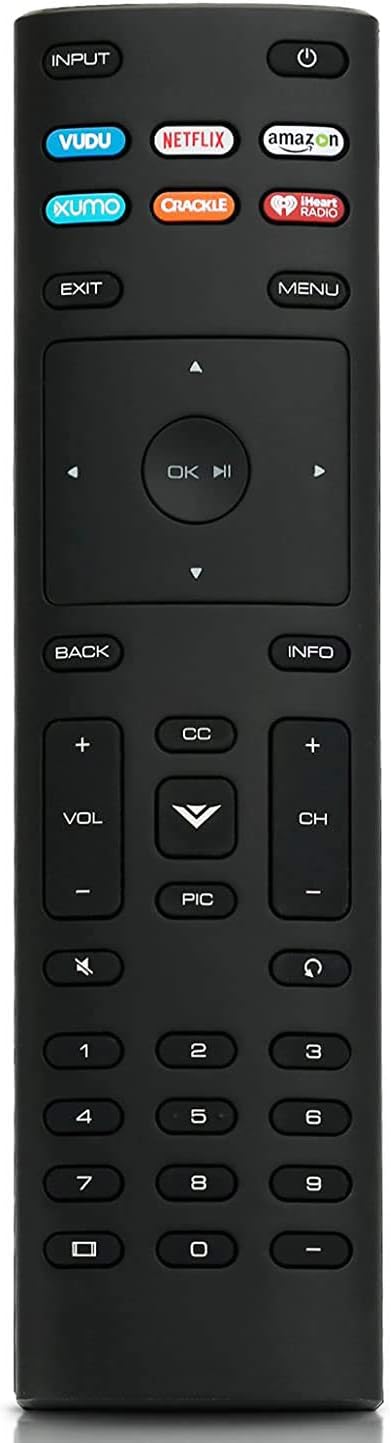

Smartby Replaced VR2 VR4 Remote Control for Vizio TV VL260M VO320E VO370M VO420E VP422 VECO320L VECO320L1A VL320M VP322 VECO320LHDTV VP422HDTV10A VP322HDTV10A VP323HDTV10A
See current price
Check the current price and availability on Amazon.com.
View on AmazonAffiliate link — we may earn a commission at no extra cost to you. Learn more
- Item Weight
- 2.89 ounces
- Item model number
- S-VR2 VR4
- Manufacturer
- Smartby Factory
- Brand
- Smartby
Key features
- Replaced VR2 VR4 Remote Control for Vizio TV VL260M VO320E VO370M VO420E VP422 VECO320L VECO320L1A VL320M VP322 VECO320LHDTV VP422HDTV10A VP322HDTV10A VP323HDTV10A
- Brand New. No programming or paring needed. It is ready for use after inserting the new batteries.
- Remote Control VR2 VR4 Replacement for Vizio TV VL260M VO320E VO370M VO420E VP422 VECO320L VECO320L1A VL320M VP322 VECO320LHDTV VP422HDTV10A VP322HDTV10A VP323HDTV10A
- Check to ensure that the battery is properly installed. If the unit is not working, remove the battery, turn it around, and install the battery correctly as indicated in Image 3.
- If the remote does not work directly, please reset it: 1. Remove batteries from remote control 2. Press every button on the unit for 3 seconds on the remote at least one time to drain any residual power. 3. Insert BRAND-NEW batteries into the remote. 4. Sometimes the problem isn’t the remote, but the TV. To correct problem, unplug the TV from the power outlet and hold down the power button on the side of the TV for 15 seconds. Then, plug the TV back in and power it on.
Specifications
| Product Dimensions | 7 x 2 x 1 inches |
|---|---|
| Item Weight | 2.89 ounces |
| Item model number | S-VR2 VR4 |
| Manufacturer | Smartby Factory |
| Brand | Smartby |
| Special Feature | Ergonomic |
| Max Number of Supported Devices | 1 |
| Compatible Devices | Television |
| Connectivity Technology | Infrared |
| ASIN | B078K1R3QJ |
About this product
Smartby Replaced Remote Control VR2 VR4 for Vizio TV VL260M VO320E VO370M VO420E VP422 VECO320L VECO320L1A VL320M VP322 VECO320LHDTV VP422HDTV10A VP322HDTV10A VP323HDTV10A No programming or paring needed. It is ready for use after inserting the new batteries. If it does not work, please follow this procedure: 1. Remove batteries from remote control 2. Press every button on the unit for 3 seconds on the remote at least one (1) time to drain any residual power. 3. Insert BRAND-NEW batteries into the remote. 4. Sometimes the problem isn’t the remote, but the TV. To correct problem, unplug the TV from the power outlet and hold down the power button on the side of the TV for 15 seconds. Then, plug the TV back in and power it on.
Similar products


See current price