


Tianle TL869 Android Streaming Media Stick/Mini PC (Old Version)
See current price
Check the current price and availability on Amazon.com.
View on AmazonAffiliate link — we may earn a commission at no extra cost to you. Learn more
- Item Weight
- 7.2 ounces
- Product Dimensions
- 3.4 x 1 x 0.4 inches
- Item model number
- TL869
- Brand
- TIANLE
Key features
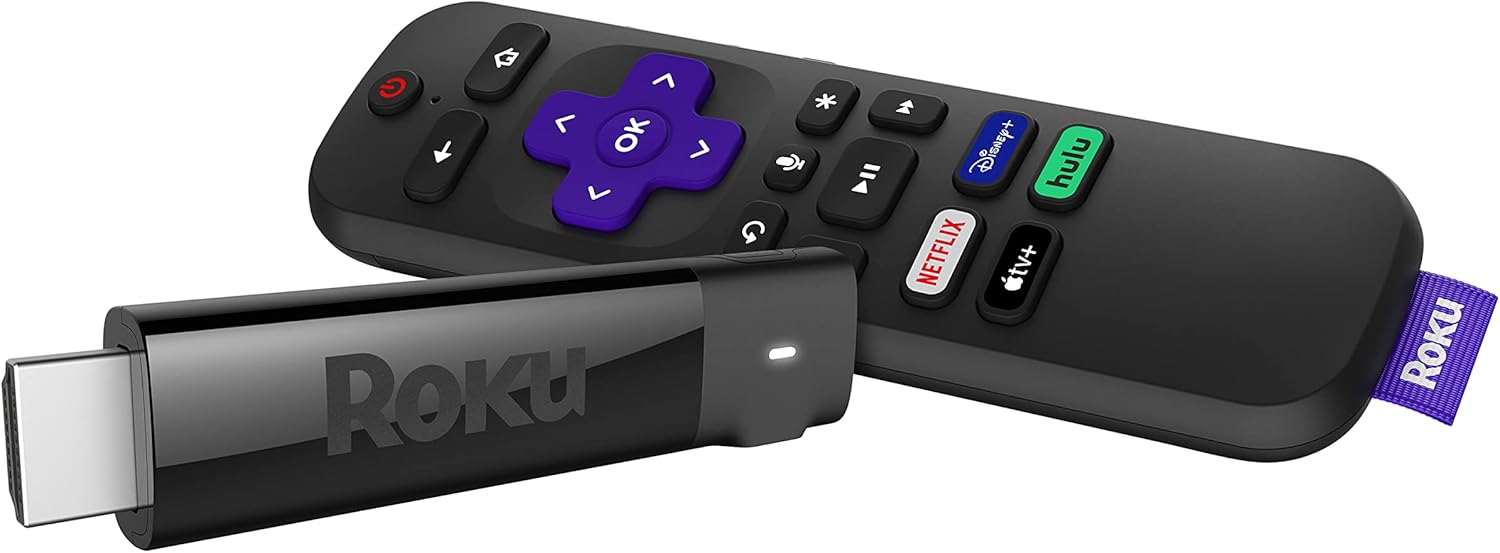
- Plug your Tianle streaming media stick into an HDMI port and turn your TV into a Smart TV
- Download your favorite apps from Google Play including Netflix, Hulu Plus, HBO GO, Facebook, Pandora, YouTube, and much more
- Supports High Definition 1080p video playback (HDMI 1.4A)
- Download the Google TV Remote app to use your smartphone or tablet as a remote
- This product requires a USB mouse for set-up
Specifications
| Brand Name | TIANLE |
|---|---|
| Item Weight | 7.2 ounces |
| Product Dimensions | 3.4 x 1 x 0.4 inches |
| Item model number | TL869 |
| Brand | TIANLE |
| Connectivity Technology | HDMI |
| Connector Type | Micro USB, HDMI |
| Resolution | 1080p |
| Supported Internet Services | Google_tv |
| Controller Type | Remote Control |
| Compatible Devices | Television |
| Video Output Resolution | 1920x1080 Pixels |
| ASIN | B00DILTY0U |
About this product
With the Android Dongle, enjoy your favorite apps and media on your HDTV. Plug your Android Dongle into an HDMI port to access internet content on your TV. Use a wired or wireless mouse to navigatethe on screen display. Don't want to use a mouse to navigatethe screen options? Download the app to turnyour Android Smartphone or tablet into a remote. Android™ Dongle Features Turn your HDTV into a connected TV Turn your HDTV into a connected TV Download apps from the Google Playstore Download apps from the Google Playstore Browse the web Browse the web Connect to an HDMI port and a Wi-Fi network Connect to an HDMI port and a Wi-Fi network On-the-Go (OTG) USB port On-the-Go (OTG) USB port DLNA DLNA Your HDTV…smarter Browse the web, play games, watch YouTube videos and more…all from your HDTV. Use one of the pre-loaded apps or download more from the Google Playstore. Control the screens using a USB mouse or your Android smartphone or tablet. Just download the Google TV Remote app and the control is in your hands. Apps, apps, and more apps The dongle comes with a variety of apps, but you can download more from the Google Playstore. Just enable the Google Playstore icon from the Settings|Applications menu and start downloading the apps you love. Your media on the big screen Play music, videos, and photos from a USB flash drive that is connected to the extra USB port on the dongle. Have your media stored on a DLNA device? The dongle will find those files too. No more huddling around a small screen to see that great vacation picture. Plug and play Plug the Android Dongle into your HDTV, connect it to your Wi-Fi network, and start doing more with your HDTV. Use a wired or wireless mouse to navigate the on screen display. No smartphone or tablet required. What’s included Andoid Dongle Andoid Dongle HDMI extention cable HDMI extention cable Y-USB Cable Y-USB Cable AC Adapter AC Adapter Owner's Manual Owner's Manual
Similar products

See current price