

Mounts for Electronics and Home Setups
Compare mounts by device compatibility, mounting surface, weight capacity, adjustability, and installation method to find a practical fit for your electronics setup.
586 products in catalog
586 results
Filters




Amazon Basics
Amazon Basics Outlet Wall Mount for 3rd Generation Echo Dot Only, White
See current price

Sound bass
Solo 5 Wall Mount Kit for Bose Solo 5 Complete with All Mounting Hardware, Designed in The UK by Soundbass
See current price


Popular brands in Mounts
Mounts can help position electronics securely while making better use of wall, desk, ceiling, vehicle, or shelf space. The right choice depends on the device being supported, the available mounting surface, and how much adjustment you need after installation.
Use this catalog to compare specifications and features across different mount designs. Before choosing, confirm that the mount is intended for your device and that its hardware and movement range suit the installation area.
How to choose a mount
Start with the device and the location. A mount designed for a monitor, speaker, television, phone, camera, or other accessory may use a different attachment pattern and support a different load. Product descriptions should clarify the intended use and compatibility requirements.
Consider these questions before comparing specific options:
- What will it hold? Check the device type, attachment pattern, dimensions, and weight.
- Where will it be installed? Wall, desk, ceiling, cabinet, vehicle, and other surfaces may require different mounting hardware.
- How much movement is useful? Fixed mounts prioritize a close, stable position, while adjustable designs can help with viewing angle, height, tilt, or reach.
- How permanent should the installation be? Clamps and other non-permanent options may suit renters, temporary workstations, or frequently changing setups.
- Where will cables run? Leave enough clearance for connectors and consider whether the mount allows tidy cable routing.
For broader electronics accessories, browse Accessories & Supplies to compare related product areas.
Common mount types and uses
Mounts vary more by intended placement and adjustment than by appearance. Common options include:
- Fixed mounts: A straightforward choice when the device can remain in one position and a low-profile installation is preferred.
- Tilting mounts: Useful when the screen or device needs to angle upward or downward to reduce glare or improve visibility.
- Full-motion or articulating mounts: Designed for setups that benefit from extension, swiveling, or repositioning. Check clearance behind and beside the installation point.
- Desk and clamp mounts: Helpful for monitors, small electronics, or accessories on a workstation where drilling into a wall is not desirable.
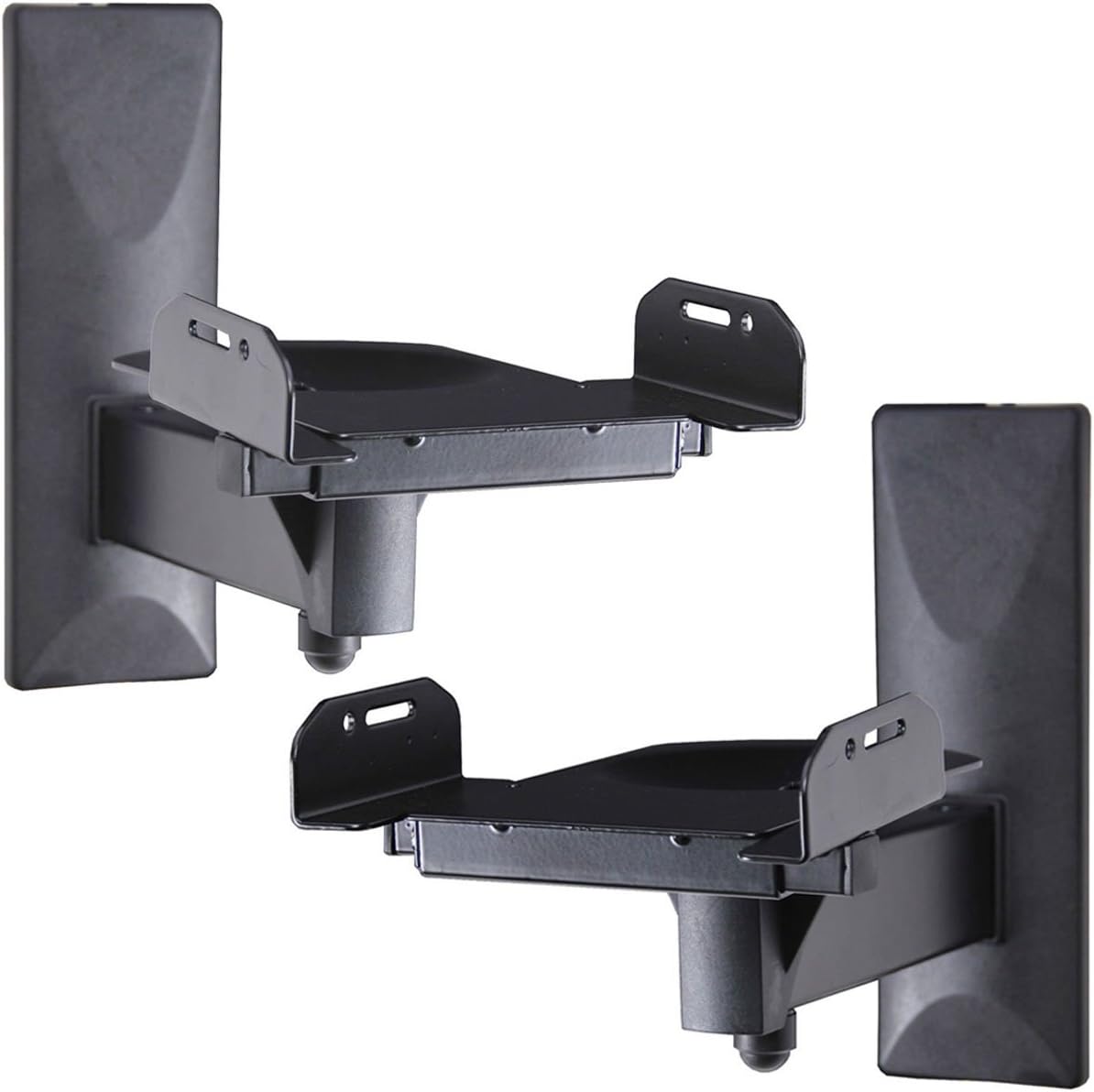
- Speaker and small-device mounts: Often focus on compact attachment points, directional positioning, and keeping equipment off shelves or work surfaces.
- Special-purpose mounts: Some products are made for a particular device family, vehicle, or installation environment, so compatibility details matter especially closely.
Key specifications to compare
Weight capacity is one of the most important specifications. Compare the supported load with the complete weight of the device and any attached accessories, rather than relying only on a close match.
For displays and monitors, look for the supported mounting pattern, screen-size guidance, and the range of tilt, swivel, height, or extension. A mount can fit the attachment points yet still be unsuitable if the device is too large, too deep, or difficult to balance.
Also compare the mount’s dimensions, adjustment mechanism, included hardware, and installation instructions. Hardware intended for one surface may not be appropriate for another. If the product lists required tools or separate hardware, account for those before installation.
Installation and everyday use
Measure the mounting area before ordering. Check for studs, solid structural support, desk thickness, nearby cabinets, and enough room to move the device without striking walls or other equipment. Keep ventilation openings clear, especially around electronics that generate heat.
After installation, verify that fasteners are tight and that the device remains stable through its full adjustment range. Avoid forcing a joint beyond its designed movement, and route cables with enough slack that turning or extending the mount does not pull on ports.
For a cleaner workstation, pair a suitable mount with Cord Management. Power Strips & Surge Protectors may also help organize power connections, while Cable Organizer Bags & Cases can store spare cables and accessories.
Brands in the catalog
Brands appearing in this Mounts catalog include SPORTLINK, WALI, HomeMount, Sound bass, Mount Genie, Bose, ATOPHK, Mount-It!, PUUUCI, Sanus, BRAINWAVZ, and FeiYen. Compare each product by its own compatibility information, dimensions, supported load, adjustment range, and installation requirements rather than choosing by brand name alone.
Frequently asked questions
How do I know whether a mount will fit my device?
Check the mount’s listed device type, attachment pattern, dimensions, and weight capacity against your device specifications. All of these factors should match.
Is a fixed mount better than an adjustable mount?
It depends on the setup. Fixed designs suit stable viewing positions, while tilting or articulating mounts are more useful when the device needs regular repositioning.
Can any mount be installed on any wall or desk?
No. The mounting surface, available structural support, thickness, and included hardware all affect compatibility. Follow the installation requirements for the specific product.
What should I check before mounting a monitor or display?
Confirm the attachment pattern, supported size and weight, available adjustment range, clearance from the wall or desk, and room for cable connections.
How can I prevent cables from pulling after installation?
Plan the cable path before tightening the mount, leave appropriate slack at moving joints, and use cable-management accessories to keep cords supported without restricting movement.
Where can I find related accessories?
For office-focused additions, see Office Electronics Accessories. For telephone-specific products, compare Telephone Accessories.