

Engraving Machines & Tools for Jewelry Making
Compare engraving machines and tools for personalizing jewelry, marking materials, and creating detailed craft projects. Review the technologies, specifications, and accessories that fit your workspace.
87 products in catalog
87 results
Filters


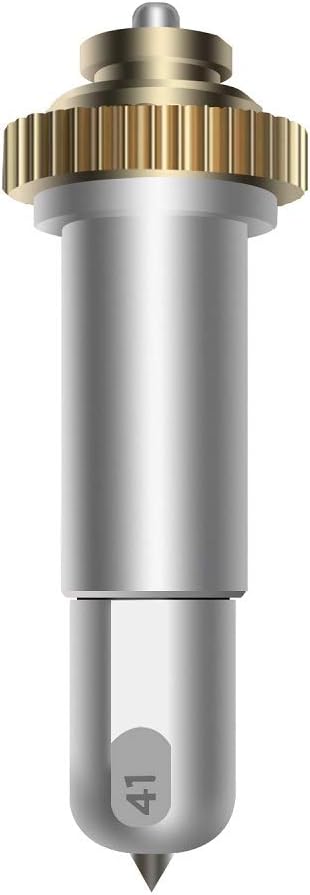


Chomas Creations
Chomas Creations Etching/Engraving Precision Tip Tool for Maker & Explore (Standard)
See current price

HWYDTGS
Orange Rubber Stamp Sheet for Laser Engraving Machine with A4 Size 2.3mm (Orange)
See current price


Popular brands in Engraving Machines & Tools
Engraving machines and tools can add names, patterns, dates, logos, and other details to jewelry and craft materials. The right choice depends on the materials you plan to mark, the level of detail you need, how often you will engrave, and the space available for setup.
This category sits within Beading & Jewelry Making, so it can be especially useful when you are building a jewelry-making workspace. Compare the listed specifications and features carefully, then check the current product details before choosing equipment for your projects.
How to choose an engraving machine or tool
Start by defining the kind of work you expect to do. A compact handheld tool may suit occasional personalization, small decorative details, or work that requires close control. A machine with a guided work area may be more appropriate for repeatable designs, signs, tags, or batches of similar pieces.
Consider these questions before comparing specific products:
- What materials will you engrave? Metal, wood, acrylic, leather, glass, and coated surfaces can require different tool types, settings, or preparation.
- How detailed are your designs? Fine lettering and intricate patterns place greater demands on positioning, focus, and control.
- How large are your workpieces? Check the stated working area and the dimensions of the items the machine can accommodate.
- How often will you use it? Occasional makers may prioritize simple setup, while frequent users may value repeatability, adjustment options, and easier maintenance.
- Where will it operate? Account for ventilation, clearance, noise, power requirements, and a stable work surface.
Main types to compare
Laser engravers use a focused beam to mark or cut compatible materials. They can be useful for detailed graphics and repeatable layouts, but the appropriate material list, laser class, enclosure design, and ventilation requirements should be checked closely. A laser model may also require software or a computer connection for preparing designs.
Rotary engraving tools use a spinning bit or abrasive accessory to remove material from a surface. They can offer a tactile, hands-on approach and may work well for small jewelry pieces, lettering, shaping, and detail work. Compare the available bit types, speed adjustment, grip, vibration control, and compatibility with replacement accessories.
Some products are designed as compact desktop systems, while others emphasize portability or a handheld format. Desktop equipment may be easier to position consistently, whereas portable tools can be convenient when working on objects that are difficult to place inside a machine. The product’s intended materials and operating method matter more than its appearance alone.
Features and specifications that matter
Pay attention to the complete specification list rather than focusing on one headline feature. Useful details to compare include:
- Work area and object clearance: Confirm that blanks, charms, tags, or other pieces fit comfortably.
- Control method: Look for information about included software, file formats, connectivity, offline operation, and supported devices.
- Adjustment range: Variable power, speed, focus, or depth controls can help match the tool to different materials.
- Positioning and repeatability: Guides, frames, alignment features, or a stable base may make consistent placement easier.
- Included accessories: Check whether the package contains bits, clamps, protective equipment, cables, lenses, or other setup items.
- Maintenance needs: Consider replacement parts, cleaning requirements, dust management, and how easily wear items can be changed.
Compatibility is particularly important for jewelry work. Small metal blanks, curved surfaces, coated items, and delicate finished pieces may require different fixturing or handling than flat craft materials. Confirm that the machine is intended for the material and surface shape before beginning a project.
Brands represented in the catalog
The catalog includes engraving products associated with Makeblock Co., Ltd., Chomas Creations, ATOMSTACK, Ortur, Afantti, Zoom Precision, Cloudray, LaserPecker, Dremel, Makeblock, AxPower, and CNCOLETECH. These brands may represent different approaches, from compact rotary tools to laser-focused equipment and related accessories. Compare each product’s actual specifications, included components, and compatibility rather than relying on brand name alone.
Workspace and safety tips
Engraving can produce dust, fumes, debris, heat, or bright light depending on the tool and material. Use the manufacturer’s instructions for ventilation, protective equipment, shielding, and material selection. Never assume that a material is suitable simply because it can be physically placed in the machine; some materials may release harmful fumes or react unpredictably when heated or cut.
Keep the work area clear, secure small pieces before engraving, and inspect bits, cables, lenses, guards, and clamps before use. For laser equipment, pay special attention to enclosure, eye protection, fire prevention, exhaust, and emergency-stop features. For rotary tools, protect eyes from debris and keep loose clothing, hair, and fingers away from moving parts.
Related supplies can help complete a jewelry workspace. Browse Beads & Bead Assortments, Jewelry Findings, Jewelry Casting Supplies, Charms, Beading Supplies, and Jewelry Making Tools & Accessories when planning materials and finishing components.
Frequently asked questions
Are laser engravers and rotary engravers used for the same projects?
Not always. Laser systems mark or cut compatible surfaces without a rotating bit, while rotary tools physically remove material. The better option depends on the material, finish, design detail, and desired working method.
Can any engraving machine mark metal jewelry?
No. Metal compatibility varies by machine and process. Check the product specifications to see whether the equipment is intended for the particular metal, coating, and surface shape you plan to use.
What should beginners compare first?
Start with material compatibility, operating method, work area, controls, safety requirements, and setup complexity. Included accessories and available instructions can also affect how practical a tool is for a first project.
Do engraving machines require special ventilation?
Some do, particularly equipment that heats, burns, or cuts materials. Follow the manufacturer’s ventilation and exhaust guidance, and verify that the materials you use are approved for the tool.
What accessories may be useful?
Depending on the design, useful items can include bits, clamps, alignment aids, protective equipment, ventilation components, replacement lenses, and work-holding fixtures. Check what is included before selecting additional accessories.