

Guitar Effects for Shaping Your Sound
Compare guitar effects by sound type, controls, connectivity, and power requirements. Explore individual pedals and multi-effects units to build a setup that fits your playing style.
359 products in catalog
359 results
Filters


Behringer
Behringer SUPER FUZZ SF300 3-Mode Fuzz Distortion Instrument Effects Pedal, Peach
See current price


Lotmusic
lotmusic Vintage Phase Electric Guitar Effects Pedal Mini Single Type DC 9V True Bypass…
See current price




TC Electronic
TC Electronic SPARK MINI BOOSTER Ultra-Compact Booster Pedal with PrimeTime Switching and Fully Analog Design
See current price

Popular brands in Guitar Effects
Guitar effects can transform a clean guitar signal into everything from subtle tone enhancement to saturated distortion, spacious ambience, and unusual experimental sounds. The right choice depends on the tones you want, how you perform, and how the effect will fit with your amplifier and other pedals.
This K-Catalog selection includes individual guitar pedals and broader multi-effects options from brands such as JOYO, BOSS, Behringer, Jim Dunlop, Caline, TC Electronic, MOOER, Donner, Zoom, NUX, DigiTech, and SONICAKE. Compare specifications and features carefully, then visit Amazon to check the current availability and price of products that match your setup.
How to choose a guitar effect
Start with the role the effect needs to play in your rig. A player looking for heavier rhythm tones will compare different distortion or overdrive designs, while someone focused on atmospheric lead parts may prioritize delay, reverb, or modulation. If you are still exploring sounds, a multi-effects unit can provide a wider range of effect types in one device.
Consider whether you need a dedicated pedal or an all-in-one unit:
- Single-effect pedals focus on a specific sound and often provide straightforward controls.
- Multi-effects units combine several effect categories and may offer presets, signal-chain editing, and broader control options.
- Utility effects can help manage dynamics, tuning, signal level, or switching within a larger pedalboard.
Your amplifier matters, too. A pedal can behave differently through a clean channel, an overdriven channel, a modeling amplifier, or a direct recording setup. For amplifier-related equipment, compare the options in Guitar & Bass Amplifiers & Preamps.
Common types of guitar effects
Although this catalog does not use listed subcategories, guitar effects generally fall into several useful groups.
Overdrive, distortion, and fuzz add gain and harmonic character. Overdrive is often chosen for responsive, amp-like breakup, distortion for a more pronounced saturated tone, and fuzz for a thicker or more aggressively textured sound. Compare gain range, tone controls, output level, and whether the effect responds to picking dynamics.
Delay and reverb create repeats or a sense of space. Delay specifications may include time range, feedback, mix, tap tempo, or the ability to select different repeat styles. Reverb controls can affect room size, decay, tone, or wet/dry balance. These effects are useful for lead lines, ambient parts, and fuller clean sounds.
Modulation effects include chorus, flanger, phaser, and tremolo-style sounds. Look at rate, depth, waveform options, and mix controls. More control can make it easier to move from a barely noticeable shimmer to a prominent rhythmic effect.
Compression, EQ, and pitch effects shape the feel and balance of the guitar signal. Compression can even out dynamics, EQ can emphasize or reduce frequency ranges, and pitch effects can create octave, harmony, or tuning-related sounds. Check the available control range and whether the effect is intended for subtle shaping or more obvious processing.
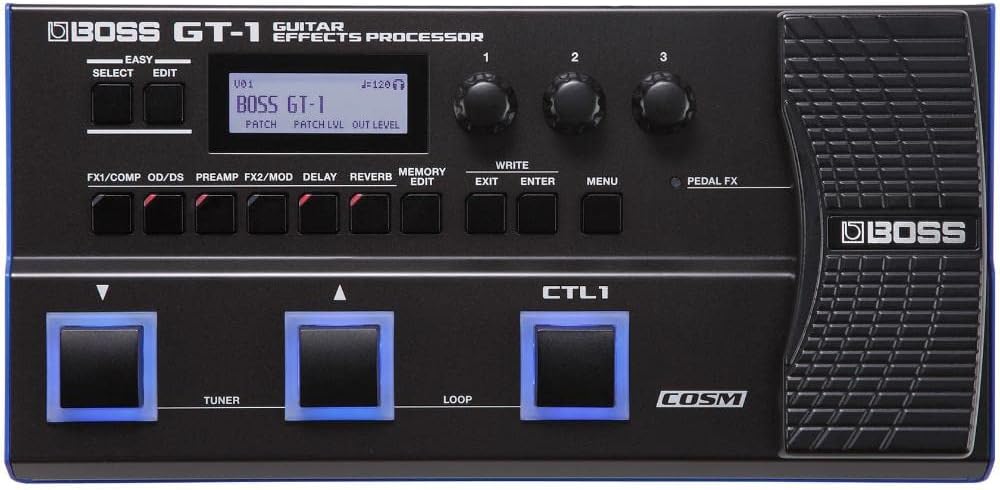
Multi-effects processors may combine several of these categories with presets, expression-pedal support, amp or cabinet simulations, and direct-output options. They can suit players who need varied sounds for practice, recording, or performance, but the interface and menu layout are important factors to compare.
Features and specifications to compare
The control layout is one of the most important differences between similar effects. Basic pedals may offer only a few essential knobs, while advanced designs can include presets, secondary functions, footswitch modes, or app and computer connectivity.
Pay attention to these specifications:
- Signal path: Check whether the effect is designed for instrument-level use, loop placement, or broader routing applications.
- Power: Compare battery compatibility, adapter requirements, polarity, and power consumption. A pedalboard power supply may not suit every device.
- Connections: Review input and output formats, stereo support, expression or footswitch connections, USB, MIDI, and headphone or direct outputs where applicable.
- Switching: Consider true bypass, buffered bypass, momentary operation, preset recall, and whether switching creates unwanted noise.
- Controls and presets: More controls can provide flexibility, while simpler layouts may be quicker to adjust during rehearsal or performance.
- Size and construction: Check dimensions and enclosure design to confirm that the effect will fit your pedalboard and withstand regular transport.
Brands represented in the catalog
The catalog includes guitar effects from JOYO, BOSS, Behringer, Jim Dunlop, Caline, TC Electronic, MOOER, Donner, Zoom, NUX, DigiTech, and SONICAKE. These brands are well represented in the selection across different pedal formats and feature sets. Compare each product by its own specifications rather than choosing by brand name alone, since control layouts, connections, power needs, and intended use can vary widely.
Building a practical signal chain
Signal order can affect the final result. Many players place tuning, filtering, or compression near the beginning, followed by gain effects, modulation, delay, and reverb. This is a starting point rather than a strict rule: moving an effect can produce a different sound and may be useful for experimentation.
Check compatibility before connecting everything. Confirm the input and output requirements, leave room for cable connections, and consider how the pedal will be powered. If you use a multi-effects unit alongside separate pedals, review its routing and connection options so the combined setup remains easy to control.
Frequently asked questions
Should a beginner choose a single pedal or a multi-effects unit?
A single pedal is usually easier to understand when you already know the sound you want. A multi-effects unit can be useful for exploring several effect categories and comparing different tones in one device.
Do guitar effects work with every amplifier?
Most are designed to connect between the guitar and amplifier, but the result depends on the amplifier’s input, channel settings, effects loop, and modeling features. Always check the product’s connection specifications.
What power information should be checked before buying?
Review whether the effect uses a battery, external adapter, or pedalboard power supply. Confirm voltage, polarity, connector type, and power requirements before connecting it.
Are more controls always better?
Not necessarily. Additional controls can provide deeper sound shaping, but a simpler pedal may be faster to adjust. Choose the control layout that suits your playing and performance needs.
Where can guitar effects be placed in a signal chain?
Placement depends on the sound you want and the effect design. Compression and gain effects are commonly experimented with near the front, while modulation, delay, and reverb are often placed later, though alternate orders can create useful sounds.