

Xbox One Consoles
Compare Xbox One consoles by storage, condition, connectivity, and included equipment. Use the specifications to narrow your options before checking the current listing details.
78 products in catalog
78 results
Filters

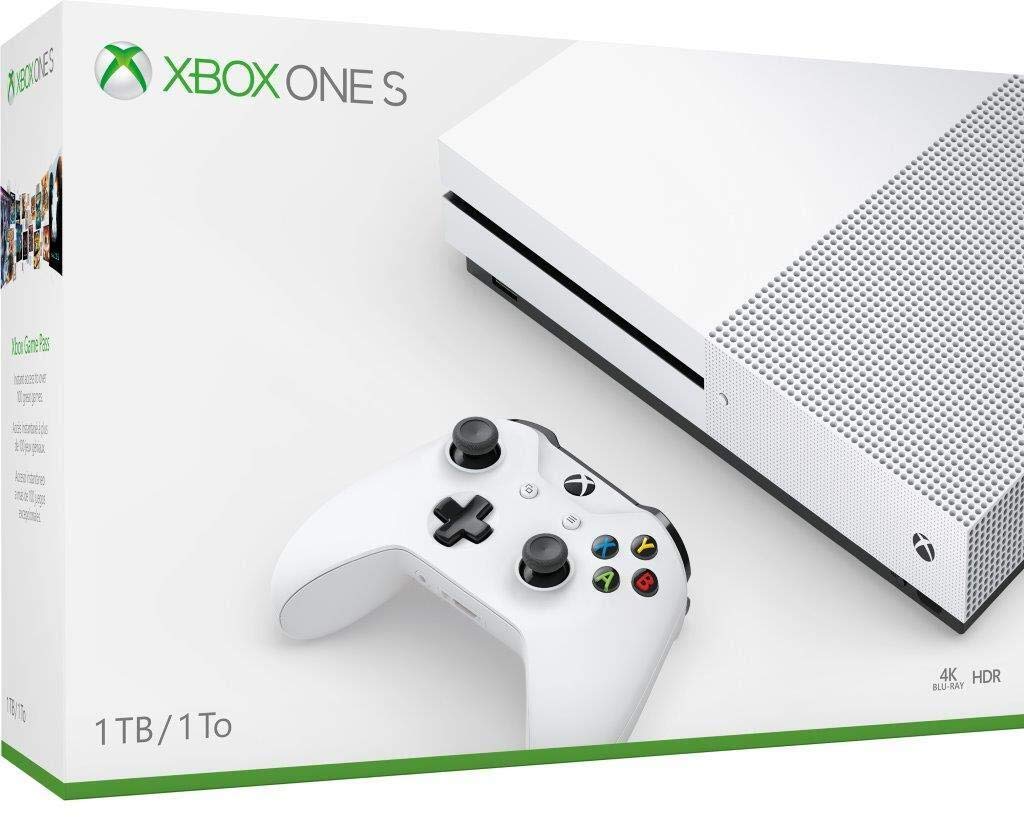
![Microsoft Xbox One S 1Tb Console - White [Discontinued]](https://m.media-amazon.com/images/I/61zjj2sgXML._SL1500_.jpg)


microsoft
Microsoft Xbox One S 500GB Console - Tom Clancy's Ghost Recon Wildlands Gold Edition bundle
See current price


microsoft
Microsoft Xbox One X 1TB, 4K Ultra HD Gaming Console, Black (Renewed) (2017 Model)
See current price
![Xbox One S 1TB Console - NBA 2K20 Bundle - [DISCONTINUED]](https://m.media-amazon.com/images/I/61DFZ1I5ZdL._AC_SL1200_.jpg)


microsoft
Xbox One S 1TB Console - Fortnite Battle Royale Special Edition Bundle (Discontinued)
See current price
![Xbox One S 2TB Limited Edition Console - Gears of War 4 Bundle [Discontinued]](https://m.media-amazon.com/images/I/719g3vUqljL._SL1236_.jpg)
microsoft
Xbox One S 2TB Limited Edition Console - Gears of War 4 Bundle [Discontinued]
See current price

](https://m.media-amazon.com/images/I/41hw-O8uGvL._SL1500_.jpg)
Popular brands in Consoles
Xbox One consoles can suit different gaming setups, from a replacement system for an existing library to a second console for another room. The right choice depends on the console’s condition, storage capacity, included accessories, display connections, and compatibility with the games you want to play.
This K-Catalog page helps shoppers compare listed specifications and features. For the wider Xbox One category, visit Xbox One, then compare each console’s details to your setup and expectations.
How to choose an Xbox One console
Start with the role the console will play. A replacement system may need to match the connections and accessories already in your setup, while a first Xbox One may require a controller, power equipment, and a suitable display connection. Check the complete listing rather than assuming every console includes the same items.
Key questions to consider include:
- Is the console new, used, refurbished, or renewed?
- How much internal storage is included?
- Does the listing include a controller, power cable, or other essential equipment?
- Which display and network connections are available?
- Does the console’s condition match your expectations?
If you already own physical games or accessories, compatibility should be a priority. For digital libraries, confirm that the console can connect to the account and network services needed to access your content.
Console types and condition
Xbox One consoles may differ in physical design, hardware configuration, storage, and condition. Compare the exact specifications for each listing instead of relying on the category name alone. A compact system may be easier to place in a media cabinet, while another configuration may better suit shoppers who prioritize storage or particular video capabilities.
Condition is especially important when comparing pre-owned or renewed equipment. Look for descriptions of cosmetic wear, included components, testing or refurbishment information supplied by the listing, and any stated coverage. Missing cables or controllers can affect how quickly the system can be used.
Specifications and features to compare
Storage and game access
Storage affects how many installed games and applications the console can hold. Check the stated capacity and consider whether you plan to install large games, keep several titles available, or use external storage. If an external drive is included, verify its capacity and connection type separately from the console’s internal storage.
Video and audio connections
Review the available video output and confirm that it works with the television or monitor in your gaming area. Also check audio options if you use a headset, soundbar, receiver, or other equipment. Connection details can matter more than appearance when replacing an older console.
Network connectivity
Online multiplayer, downloads, updates, streaming, and cloud-connected features depend on network access. Compare the listed wired and wireless connectivity, and consider whether the console will be placed near a router or connected through a home network.
Included equipment
A console listing may or may not include a controller, power supply, HDMI cable, headset, or storage accessory. Read the included-items section carefully. If a controller is not supplied, browse Accessories for compatible equipment and replacement items.
Brands represented in the catalog
The catalog includes consoles and related listings associated with Microsoft, Xbox, Microsoft Xbox, Microsoft Software, Amazon Renewed, DINGBANGG, Elgato, Fantom Drives, Fyoung, Thq, and usergaing. Brand names can help organize comparisons, but the specific condition, specifications, and included items should guide the final choice. Third-party listings deserve the same careful review of compatibility and contents as manufacturer-branded equipment.
Setup and compatibility tips
Before choosing a console, make a quick inventory of your existing setup. Note the television or monitor inputs, available shelf space, network arrangement, controllers, game formats, and any storage devices you plan to use. This can prevent choosing a system that requires extra equipment or does not fit the intended location.
Keep ventilation in mind when placing the console. Avoid blocking air vents, allow room around the system, and follow the listing or manufacturer guidance for safe operation. For physical games, confirm that the disc drive is present if you need one. For digital purchases, verify account access and available storage before downloading.
Xbox One Games can be compared separately when building or expanding a library. Shoppers looking for add-on content can also browse Downloadable Content and check that it matches the game and account platform they use.
Frequently asked questions
What should be included with an Xbox One console?
Included items vary by listing. Check whether the console comes with a controller, power supply, HDMI cable, headset, or other accessories before choosing.
How much storage should an Xbox One console have?
Choose storage based on how many games and applications you expect to install. Compare the stated internal capacity and check whether external storage is included or supported.
Should I check the console’s condition?
Yes. Review whether the system is new, used, refurbished, or renewed, along with any notes about cosmetic condition, functionality, and included equipment.
Can an Xbox One console connect to a modern television?
Compatibility depends on the console’s video output and the television’s available inputs. Compare both before buying, and check whether the required cable is included.
Do Xbox One consoles include games?
Not necessarily. Game inclusion varies by listing, so read the product details rather than assuming a console comes with a title or game bundle.