


VIZIO· All VIZIO Television & Video →
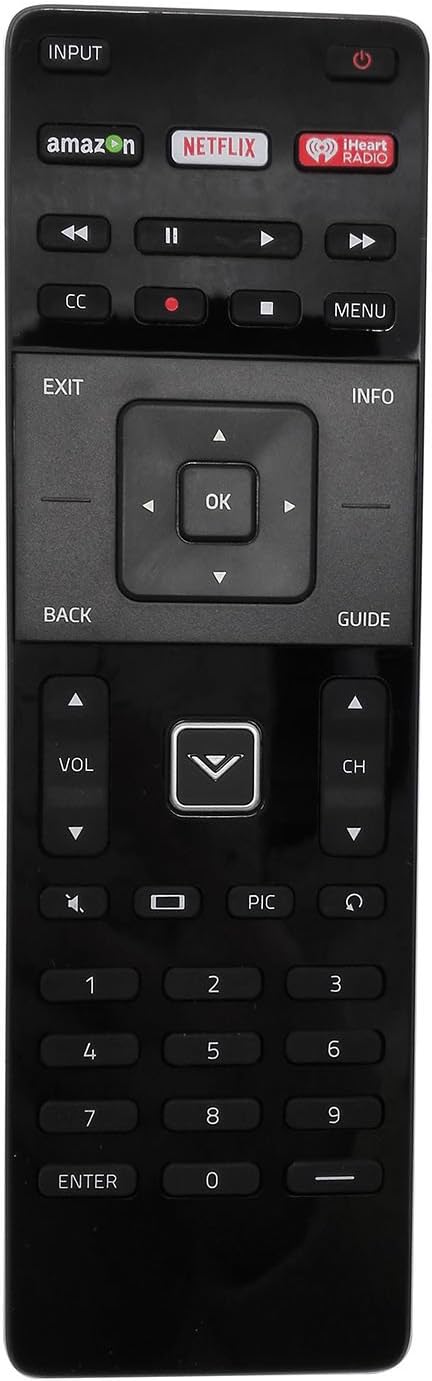
New VSB210 VSB210WS VSB200 Remote Control for VIZIO HOME THEATER SOUND BAR Vizio VSB200 VSB210 VSB210WS VSB211 VSB211WS VSB205 VSB206 VSB207
See current price
Check the current price and availability on Amazon.com.
View on AmazonAffiliate link — we may earn a commission at no extra cost to you. Learn more
- Item Weight
- 0.353 ounces
- Manufacturer
- VIZIO
- Item model number
- VSB210 VSB210WS VSB200
- Brand
- VIZIO
Key features
- New VIZIO VSB210 VSB210WS VSB200 Soundbar Remote Control
- Works for Vizio VSB200 VSB210 VSB210WS VSB211 VSB211WS VSB205 VSB206 VSB207
Specifications
| Product Dimensions | 5 x 3 x 2 inches |
|---|---|
| Item Weight | 0.353 ounces |
| Manufacturer | VIZIO |
| Item model number | VSB210 VSB210WS VSB200 |
| Brand | VIZIO |
| Special Feature | Ergonomic |
| Max Number of Supported Devices | 1 |
| Compatible Devices | Stereo System |
| Connectivity Technology | Infrared |
| ASIN | B010V4ED84 |
About this product
New VIZIO VSB210 VSB210WS VSB200 Soundbar Remote Control for VIZIO HOME THEATER SOUND BAR Vizio VSB200 VSB210 VSB210WS VSB211 VSB211WS VSB205 VSB206 VSB207 If it does not work, please follow this procedure: 1. Remove batteries from remote control 2. Press every button on the unit for 3 seconds on the remote at least one (1) time to drain any residual power. 3. Insert BRAND-NEW batteries into the remote. 4. Sometimes the problem isn’t the remote, but the soundbar. To correct problem, unplug the soundbar from the power outlet and hold down the power button on the side of the soundbar for 15 seconds. Then, plug the soundbar back in and power it on.
Similar products
Compare all VIZIO Television & Video →
VIZIO
New VIZIO Universal Remote Control for 99% VIZIO Brand LED LCD TV-30 Days Warranty!
See current price

See current price