


ZdalaMit· All ZdalaMit Television & Video →
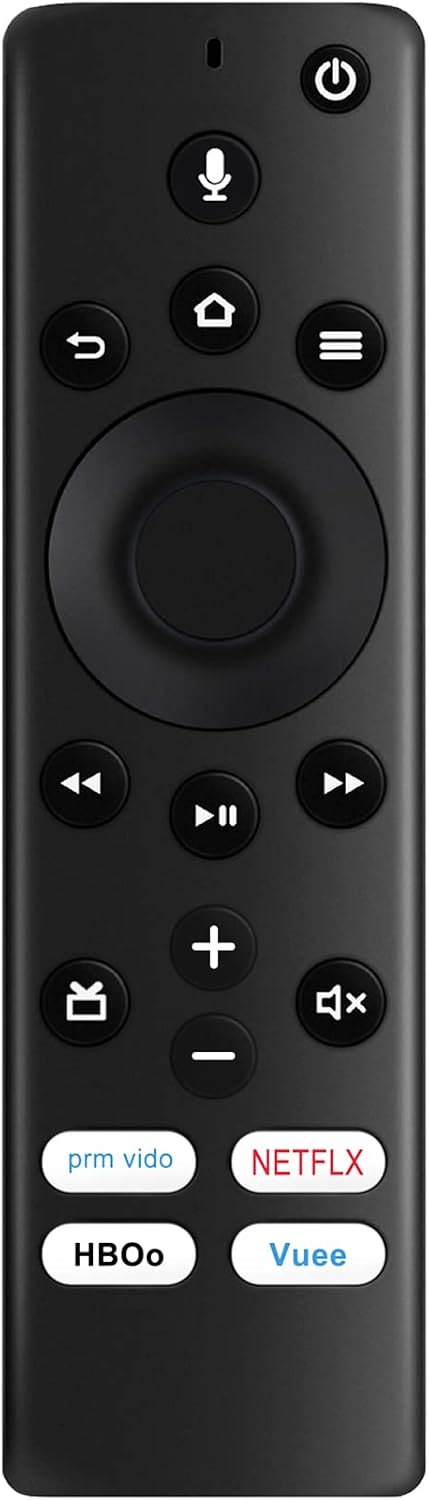
NS-RCFNA-19 Replacement Remote Voice Control fit for Insignia TV NS-43DF710NA19 NS-50DF710NA19 NS-55DF710NA19 NS-24DF310NA19 NS-32DF310NA19 NS-58DF620NA20 NS-39DF510NA19
See current price
Check the current price and availability on Amazon.com.
View on AmazonAffiliate link — we may earn a commission at no extra cost to you. Learn more
- Item Weight
- 1.41 ounces
- Batteries
- 2 AAA batteries required.
- Manufacturer
- ZdalaMit Factory
- Country of Origin
- China
Key features
- New NS-RCFNA-19 Replacement Remote Control Applicable for Insignia TV NS-43DF710NA19 NS-50DF710NA19 NS-55DF710NA19 NS-24DF310NA19 NS-32DF310NA19 NS-58DF620NA20 NS-39DF510NA19
- Please pair it with your TV before use. Pairing steps please see our description. If voice control function is not working, please pair it with your TV.
- Please note: This remote DOES NOT work with fire tv stick/firestick.
- Power Supply: 2X 1.5V AAA Alkaline Battery. Batteries are not included.
- Please feel free to contact us if you have any query, thanks!
Specifications
| Product Dimensions | 5.2 x 1.5 x 0.5 inches |
|---|---|
| Item Weight | 1.41 ounces |
| Batteries | 2 AAA batteries required. |
| Manufacturer | ZdalaMit Factory |
| Country of Origin | China |
| Brand | ZdalaMit |
| Special Feature | Voice Search |
| Max Number of Supported Devices | 1 |
| Compatible Devices | Television |
| Connectivity Technology | Bluetooth |
| ASIN | B08M92VKDH |
About this product
New NS-RCFNA-19 Replacement Remote Control Applicable for Insignia TV Compatible with below Insignia TV models: NS-43DF710NA19 NS-50DF710NA19 NS-55DF710NA19 NS-24DF310NA19 NS-32DF310NA19 NS-58DF620NA20 NS-39DF510NA19 Power Supply: 2X 1.5V AAA Alkaline Battery Reset Your Remote: Having trouble with your remote, first remove and reinsert the new alkaline batteries in your remote. then Reset your remote as below: Place your remote within 10 feet of your TV device. 1. Press the Left, Menu, and Back buttons simultaneously, and hold for 10 seconds. 2. Wait for 60 seconds. 3. Remove the batteries from your remote, unplug your TV device, and wait 60 seconds. 4. Plug your TV device back in, and wait for the Home Screen to display. 5. Hold the Home button on your remote for 40 seconds, then wait 60 seconds for setup to complete. Package Content: 1X Remote Control
Similar products
Compare all ZdalaMit Television & Video →

See current price