

Time Clocks & Cards for Workplace Timekeeping
Compare time clocks and time cards by punch method, compatibility, workflow, and recordkeeping needs. This guide explains the features that matter before choosing a workplace timekeeping system.
40 products in catalog
40 results
Filters

Tops
TOPS Time Cards, Weekly, 1-Sided, 3-1/2" x 9", Manila, Green Print, 500-Count (1259)
See current price

UPunch
uPunch Time Clock Bundle with 100 Cards, 2 Ribbons, 2 Time Cards Racks, & 6 Keys (HN3500)
See current price


Lathem
Lathem Time Cards, E8-100, Weekly, 1-Sided, 8 1/2" x 3 3/4", White, Box Of 100
See current price



Pyramid Time Systems
Pyramid™ 30% Recycled Time Cards For Pyramid Models 4000 & 5000, 9" x 3 1/2", Pack Of 100
See current price


Pyramid Time Systems
Pyramid Technologies Time Card Rack, 10 Pockets, Plastic, Light Gray
See current price


UPunch
Calculating uPunch Starter Time Clock Bundle with 100-Cards, 1 Ribbon and 2 Keys (HN2500)
See current price


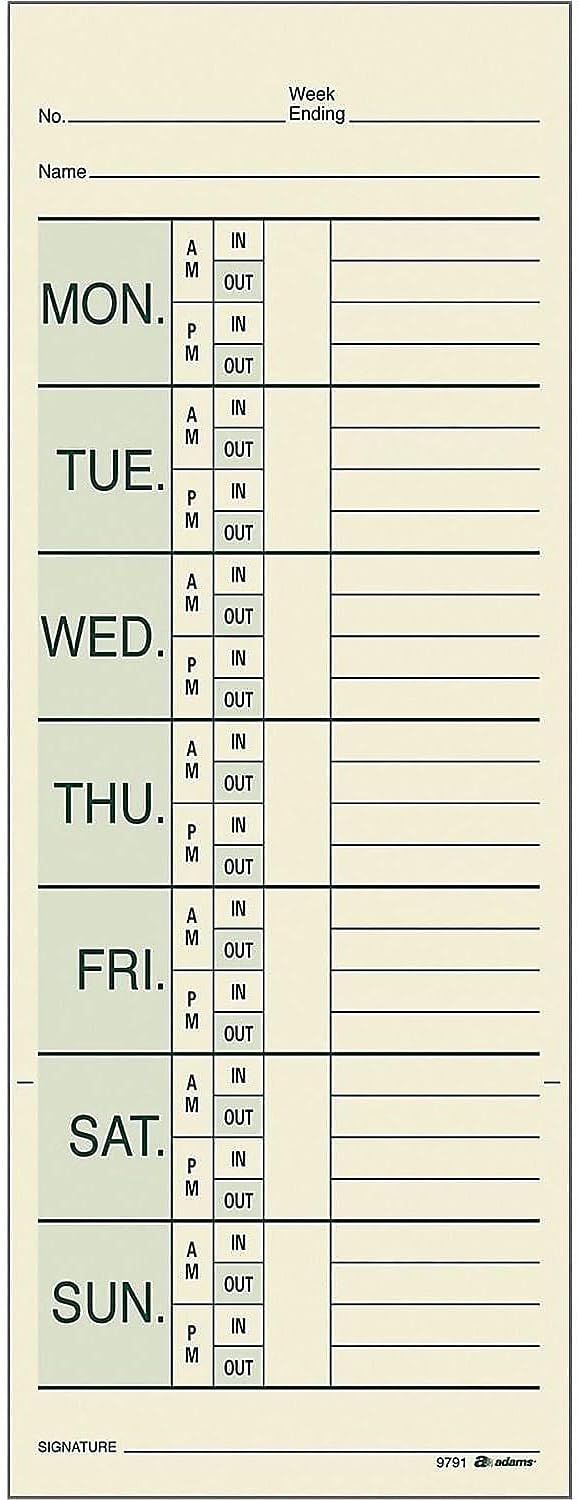


UPunch
uPunch Digital Time Clock and Date Stamp with 50 Time Cards, 1 Ribbon & 2 Keys (CR1000)
See current price


Popular brands in Time Clocks & Cards
Time clocks and cards help businesses record when employees start and finish work, take breaks, or move between shifts. The right setup depends on the size of the workplace, the number of users, the preferred record format, and how much administrative work the system should require.
K-Catalog brings together workplace timekeeping products for comparison. Review the listed specifications carefully, then check the current product details on Amazon before making a purchase.
How to choose a time clock system
Start by considering how employees will use the clock each day. A simple punch clock may suit a small office, shop, workshop, or department that prefers physical records. An electronic system may be more convenient when the workplace needs automated calculations, digital records, or less manual paperwork.
Consider these practical questions:
- How many people will use it? Confirm the system’s stated user or employee capacity.
- What records are required? Decide whether printed time cards, digital records, or both fit the workflow.
- Where will it be installed? Check the clock’s size, mounting options, power requirements, and display visibility.
- How will records be managed? Look for features that simplify payroll preparation, attendance tracking, or record export when needed.
- What happens during power or network interruptions? Review whether the product supports backup options or offline operation if that matters for the workplace.
A straightforward product is often preferable when staff need to clock in quickly with minimal training. More feature-rich systems can be useful when managers need centralized records or more detailed attendance information.
Common types of time clocks and cards
Mechanical and print-based punch clocks
Traditional punch clocks mark a physical time card when an employee clocks in or out. They can be a practical choice for workplaces that want an easy-to-understand paper trail and do not need a connected attendance platform. Check the supported card format, print position, time display, and adjustment controls.
Electronic time clocks
Electronic clocks may print onto cards or store punches digitally. Depending on the product, employees may use a keypad, badge, PIN, or another identification method. Compare the available punch methods with the way employees already identify themselves at work.
Biometric and connected systems
Some modern systems identify users through biometric information or connect to software and networks. These options may reduce shared credentials and help organize records across a workplace, but they require closer attention to setup, privacy practices, connectivity, and software compatibility.
Time cards and replacement supplies
Time cards are not universally interchangeable. Before ordering replacements, match the card style to the clock’s supported format, pay period layout, printing area, and employee workflow. Also check whether the package is intended for a particular type of time clock rather than general use.
Features and specifications to compare
The most useful comparison is not simply the clock’s appearance. Focus on the details that affect everyday operation:
- Punch method: Identify whether the system uses printed cards, PINs, badges, biometrics, or a combination.
- Card compatibility: Confirm card size, orientation, pay-period format, and whether the clock automatically positions or calculates punches.
- Timekeeping functions: Look for features such as shift tracking, break recording, overtime handling, automatic date or time adjustment, and clear displays when relevant.
- Data handling: For electronic products, review storage, export, software requirements, network connection, and administrator controls.
- Installation and power: Check whether the unit is intended for a wall, desk, or other placement, and verify the included power accessories.
- Durability and environment: Consider construction, expected traffic, and whether the clock will be used in a clean office or a more demanding work area.
- Security and administration: Compare access controls, user enrollment, edit permissions, and audit features when record integrity is important.
Brands represented in the catalog
The catalog includes timekeeping products from Pyramid Time Systems, UPunch, Tops, Adams, Lathem, Allied Time USA, Acroprint, NGTeco, EKG Concepts, LLC, Rounder / Umgd, COMPUMATIC, and UAttend. These brands may focus on different combinations of punch clocks, time cards, electronic attendance tools, and workplace accessories. Compare each product’s specifications rather than choosing by brand name alone, especially when compatibility with existing cards or software is important.
Setup and recordkeeping tips
Place the clock where employees can reach it without creating congestion at the start or end of a shift. Post simple instructions if the system uses a PIN, badge, or multiple punch options. For a paper-based process, keep unused cards in a dry, accessible location and establish a consistent method for correcting missed or misplaced punches.
Before putting a digital system into regular use, configure the time zone, date, pay-period settings, user permissions, and any rounding or overtime rules. Test the full process with an administrator before enrolling the entire team. Keep backup procedures available if time records are essential to payroll or attendance documentation.
For related office essentials, browse Paper, Labels, Indexes & Stamps, or Desk Accessories & Workspace Organizers. You can also explore the wider Office & School Supplies category.
Frequently asked questions
Do all time cards work with every time clock?
No. Time cards can differ in size, layout, orientation, and printing area. Match replacement cards to the clock’s stated requirements before ordering.
Is a mechanical punch clock or electronic clock better?
It depends on the workflow. Mechanical or print-based clocks suit businesses that prefer physical records, while electronic systems may be more useful for digital storage, reporting, or automated attendance tasks.
What should be checked before buying an electronic time clock?
Review the identification method, employee capacity, data storage, software or network requirements, power setup, administrator controls, and available export options.
Where should a workplace time clock be installed?
Choose a visible, accessible location near the normal entry point or staff area. Avoid placing it where queues could block walkways or where the display is difficult to read.
Can a time clock help with payroll?
It can organize start, finish, and break records, but payroll handling depends on the clock’s features and the employer’s procedures. Confirm whether the system supports the required calculations or data export.