

Multitrack Recorders for Studio and Mobile Recording
Compare multitrack recorders by recording workflow, input capacity, portability, storage, and monitoring features to find a practical fit for studio or mobile sessions.
17 products in catalog
17 results


Tascam
TASCAM 4-Channel Portable Audio Recorder for DSLR Filmmakers, Black (DR-60DmkII)
See current price


Popular brands in Multitrack Recorders
Multitrack recorders provide a self-contained way to capture separate vocal, instrument, and microphone performances without relying entirely on a computer. They can suit home studios, rehearsal spaces, live recording, songwriting, and mobile production setups.
Use this catalog to compare specifications and features from brands represented here, including Tascam and Zoom. For a broader view of related equipment, browse Studio Recording Equipment and consider how a recorder will fit with the rest of your signal chain.
How to choose a multitrack recorder
Start with the way you expect to record. A compact unit may be convenient for rehearsals, field work, and quick demos, while a larger desktop recorder may offer a more permanent studio workflow with additional connections and hands-on controls.
Consider these questions before comparing individual models:
- How many sources need to be recorded at the same time?
- Will the recorder be used mainly for overdubbing, live sessions, or both?
- Is battery-powered or portable operation important?
- Do you want a self-contained workflow, computer integration, or a combination?
- How much physical control do you prefer during recording and mixing?
The right choice depends on the complete setup rather than on track capacity alone. Input layout, monitoring, storage, and file transfer can have a major effect on day-to-day use.
Types and recording workflows
Standalone multitrack recorders are designed to handle recording, playback, editing, and often basic mixing in one device. They can be useful when a computer-free workflow is preferred or when a simple setup needs to be ready quickly.
Portable multitrack recorders emphasize mobility. They may be a practical option for rehearsals, location work, songwriting, or capturing ideas away from a permanent studio. Check the power options, built-in microphones if applicable, physical size, and protection for the controls when portability matters.
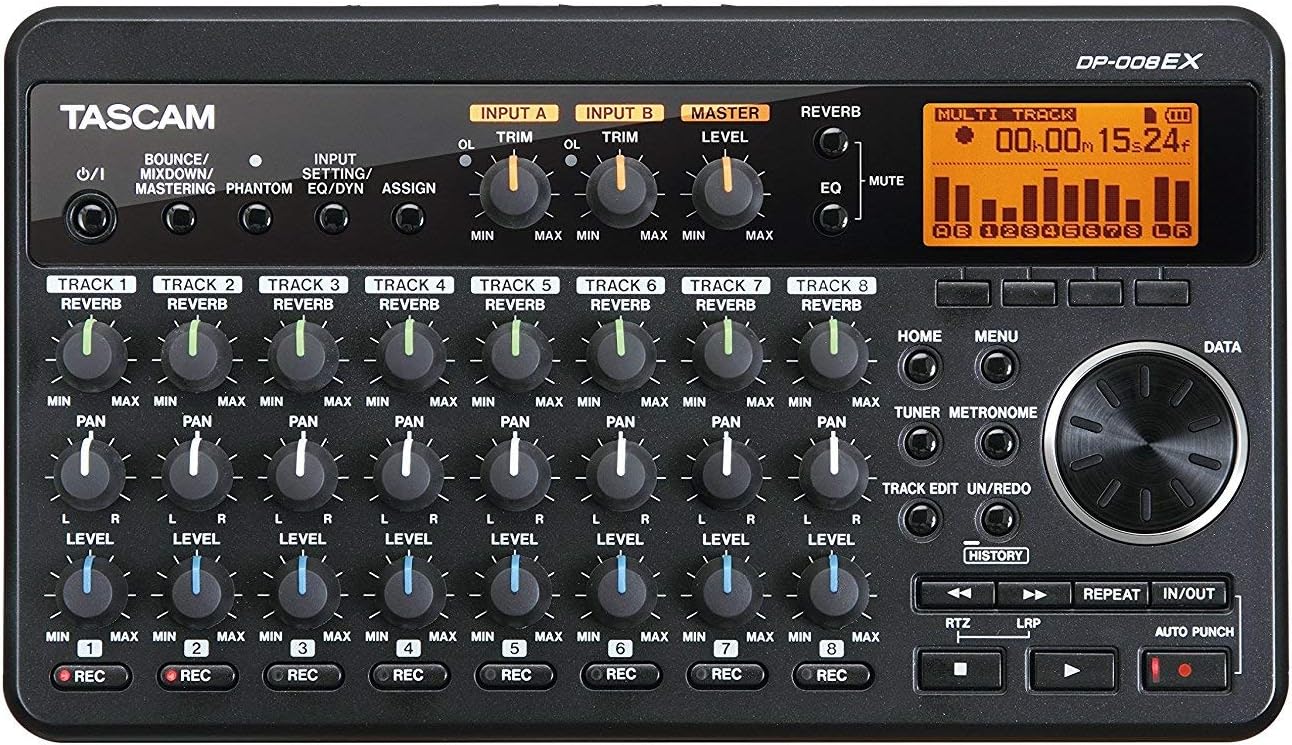
Desktop-oriented recorders generally prioritize hands-on operation and connection flexibility. These may work well for a fixed recording space where microphones, instruments, headphones, and monitor speakers remain connected. If computer-based production is central to your workflow, compare this category with Computer Recording equipment.
Key specifications and features to compare
Inputs and simultaneous recording: Check the type and number of inputs, their connectors, and whether they support microphones, line-level sources, or instruments directly. Also verify how many channels can be recorded at once, rather than looking only at the total number of tracks used in a project.
Overdubbing and mixing: Look for the available track workflow, virtual or alternate takes if offered, editing tools, automation, effects, and how easily recordings can be organized. Physical faders, knobs, transport controls, and a clear display can make frequent adjustments easier.
Microphone support: If condenser microphones are part of the setup, check for phantom power and whether it can be applied in the way your microphones require. Instrument inputs may also matter for direct guitar or bass recording.
Storage and file transfer: Compare the storage method, supported media, project management, and options for moving files to a computer or backup device. Compatibility with your existing editing software and file-handling routine can save time.
Monitoring and connections: Check headphone outputs, monitor outputs, cue or monitor controls, and latency-related features. A recorder should make it easy to hear the performance clearly while recording. For dedicated listening equipment, see Headphone & In-Ear Audio Monitors and Studio Monitors.
Building a compatible setup
A multitrack recorder is only one part of a recording system. Microphones, instruments, cables, headphones, monitor speakers, and external processing all need to match the recorder’s connections and signal levels. Signal Processors may be relevant when compression, equalization, or other processing is part of the intended workflow.
Think about how the recorder will be placed and operated. A unit used at a desk may benefit from easy access to controls, while a portable setup may need a compact footprint and straightforward cable management. Studio Environment can help when planning the room, acoustic treatment, and practical recording space. If multiple sound sources need centralized routing or additional control, compare Mixers & Accessories as well.
Brands represented in the catalog
Tascam and Zoom are represented in this multitrack recorder catalog. Compare their available products by inputs, recording modes, storage, controls, connectivity, and intended use rather than choosing by brand name alone. Product specifications can vary within any brand, so check the details of each individual listing.
Frequently asked questions
Are multitrack recorders useful without a computer?
Yes. Many are designed for recording and basic editing or mixing directly on the unit. Check the specific model’s storage, editing, export, and monitoring features to confirm that it supports a computer-free workflow.
How many inputs should a multitrack recorder have?
Choose based on the largest session you expect to record at once. Count microphones, instruments, and other sources that must be captured simultaneously, then verify the available input types and preamp arrangement.
Can a multitrack recorder be used for overdubbing?
Many multitrack recorders support overdubbing, allowing new parts to be recorded while existing tracks play back. Compare track management, monitoring controls, and take organization if overdubbing is central to your process.
Do multitrack recorders work with microphones?
They can, but microphone compatibility depends on the available inputs, connectors, preamps, and phantom-power support. Confirm these specifications before pairing a recorder with condenser or other externally powered microphones.
Is a portable recorder suitable for a studio?
A portable model can work in a studio when its input capacity, monitoring, storage, and connection options suit the sessions. A desktop-oriented unit may be more convenient for a permanent setup with several connected devices.