

PDAs & Handhelds for Work and Organization
Compare PDAs and handhelds by the features that affect daily organization, data access, and portability. Review specifications to find a device suited to your workflow and existing equipment.
9 products in catalog
9 results

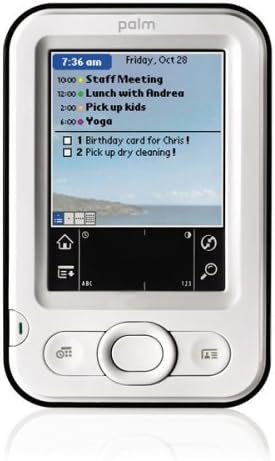

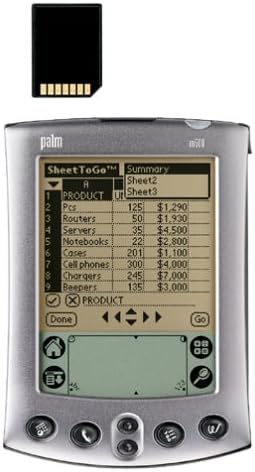

Popular brands in PDAs & Handhelds
PDAs and handhelds are compact devices designed for mobile organization, reference tasks, data entry, and other focused work away from a full-size computer. Depending on the device, useful functions may include calendars, contacts, notes, document access, calculations, and connectivity with other office equipment.
This category sits within Office Electronics, alongside equipment that can support printing, scanning, communication, and presentations. Because handheld devices can differ substantially in software and hardware compatibility, comparing specifications is especially important before choosing one.
How to choose a PDA or handheld
Start by identifying the tasks the device needs to handle. A basic organizer may be suitable for contacts, appointments, reminders, and notes, while a more capable handheld may be better for accessing files, entering information, or connecting with other devices.
Consider these questions before comparing individual products:
- What will you use it for? Prioritize scheduling, data collection, reference work, communication, or document access based on your routine.
- What software must it support? Check operating system compatibility and whether the applications you need can run on the device.
- How will data move? Review wired and wireless connectivity, synchronization options, and compatibility with computers or office systems.
- How portable must it be? A smaller, lighter design is easier to carry, but it may have a more compact display or keyboard.
- How often will it be used? Battery capacity, charging requirements, and ease of data backup matter more for frequent mobile work.
Types of handheld devices to compare
The PDAs and handhelds category can cover several practical formats. Personal organizers typically focus on calendars, contacts, reminders, and notes. Data-oriented handhelds may be designed for entering, viewing, or transferring information in the field. Other devices may emphasize document access, specialized software, or communication features.
The right type depends less on the name of the category and more on the workflow. Someone who mainly needs an electronic planner may value a straightforward interface and dependable battery performance. A user managing records or reference material may need greater storage, a clearer display, or more flexible connectivity.
For related office tasks, explore Calculators for dedicated calculation tools and Presentation Products for equipment used when presenting information. Telephones & Accessories may also be relevant when communication is a primary requirement.
Key specifications and features
Compare the following specifications carefully, especially when replacing an older device or integrating it into an existing office setup:
- Operating system and software: Confirm that the platform supports required applications, file types, synchronization tools, and accessories.
- Display: Consider screen size, resolution, readability, touch input, and whether the display is suitable for the information you need to view.
- Input method: Stylus input, touch controls, physical buttons, or a built-in keyboard can each suit different data-entry preferences.
- Storage and memory: Check available storage for contacts, notes, documents, applications, and other files. Expandable storage may offer additional flexibility where supported.
- Connectivity: Look for the connection types needed to sync data, transfer files, connect accessories, or communicate with another device.
- Battery and charging: Compare battery type, expected operating demands, charging method, and whether replacement or spare batteries are practical.
- Durability and handling: If the device will travel frequently, examine its construction, protective features, and ease of carrying.
Brands represented in the catalog
Palm and HP are represented in this catalog. When comparing products from these brands, focus on the specifications and compatibility details of the individual device rather than relying on the brand name alone. Older handheld platforms can use different connectors, software, accessories, and synchronization methods, so checking the complete product information is essential.
Compatibility and everyday-use tips
Before selecting a handheld, identify the computer, operating system, accessories, and data formats already used in the workplace. A device may have the features you want but still be inconvenient if it requires unavailable software, a discontinued connector, or an incompatible synchronization process.
Keep important information backed up through the supported method, particularly when the handheld contains contacts, schedules, notes, or work records. For shared use, review account access, privacy controls, and whether the device can be reset securely before it is transferred to another user.
If the workflow includes physical documents, compare Scanners & Accessories for scanning needs and Printers & Accessories for printed output. For broader workplace hardware, Other Office Equipment may contain related options.
Frequently asked questions
What is a PDA used for?
A PDA is generally used for portable organization and information management, such as calendars, contacts, notes, reminders, and selected applications.
Are all handhelds compatible with modern computers?
No. Compatibility depends on the operating system, connection type, synchronization software, file formats, and available drivers or accessories.
What should I check when replacing an older handheld?
Check software requirements, data-transfer methods, connector type, battery and charger availability, storage, and whether existing files can be migrated.
Is a touchscreen necessary for a PDA?
Not always. Some devices use physical buttons, a stylus, or a keyboard. Choose the input method that fits the type and volume of information you enter.
How important is battery life?
Battery performance is important for mobile use. Consider how often the device will be away from a charger and whether the battery or charging setup is replaceable or easy to maintain.